CentOS 7. 安装最新版nginx1.28
- 作者: 五速梦信息网
- 时间: 2026年06月19日 04:39
一、下载nginx
https://nginx.org/en/download.html
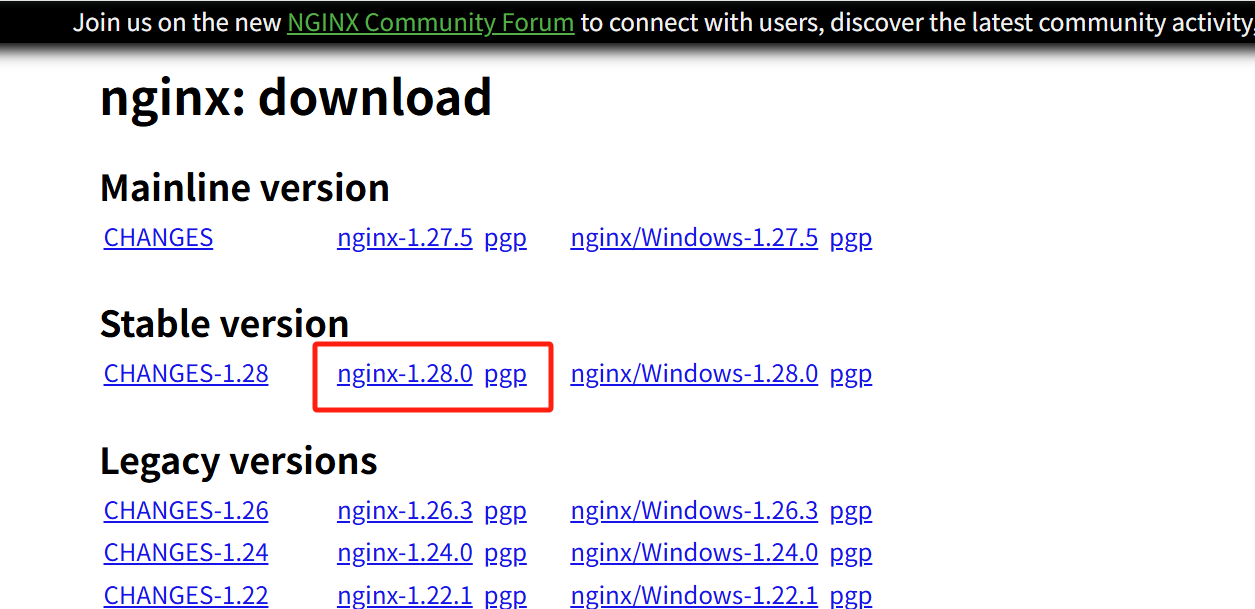
选择稳定版本 nginx-1.28.0
 如果使用虚拟机,可以先用windows系统下载后,上传到虚机,此步骤省略。
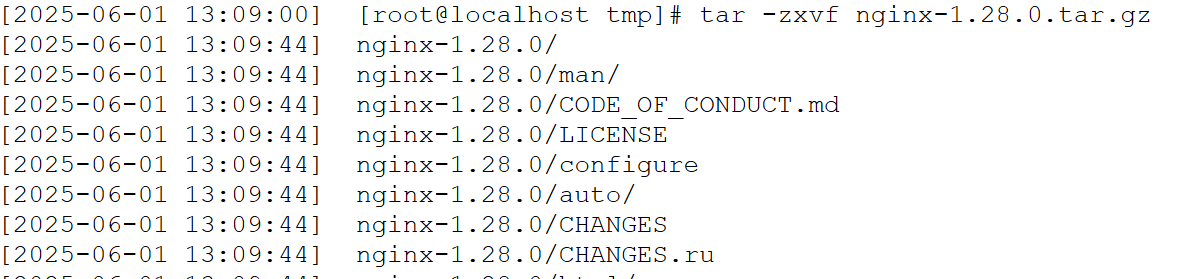
下载后解压使用tar命令解压,路径为/tmp,如下图:
tar -zxvf nginx-1.28.0.tar.gz
如果使用虚拟机,可以先用windows系统下载后,上传到虚机,此步骤省略。
下载后解压使用tar命令解压,路径为/tmp,如下图:
tar -zxvf nginx-1.28.0.tar.gz
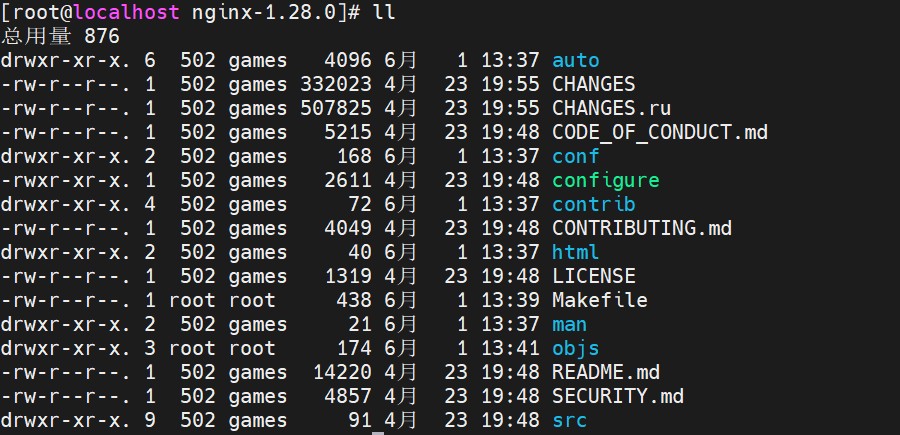
 进入nginx-1.28.0目录准备安装
cd nginx-1.28.0
进入nginx-1.28.0目录准备安装
cd nginx-1.28.0
 二、编译安装nginx-1.28.0
使用configure时需要下载必要包(自行会安装相关依赖,操作系统版本不同下载的包不同,如缺失,自行下载即可),如下:
yum install -y gcc pcre pcre-devel zlib zlib-devel openssl openssl-devel vim
提示:首先要配置CentOS 7 repo源避免无法使用yum,建议使用aliyun,详细配置省略,请自行百度
#编译并安装指定安装目录/usr/local/nginx
./configure –prefix=/usr/local/nginx
make && make install
注:生产环境请将nginx归属为nginx用户和组
chown -R nginx:nginx /usr/local/nginx
进入nginx目录,查看文件是否正常
cd /usr/local/nginx/
二、编译安装nginx-1.28.0
使用configure时需要下载必要包(自行会安装相关依赖,操作系统版本不同下载的包不同,如缺失,自行下载即可),如下:
yum install -y gcc pcre pcre-devel zlib zlib-devel openssl openssl-devel vim
提示:首先要配置CentOS 7 repo源避免无法使用yum,建议使用aliyun,详细配置省略,请自行百度
#编译并安装指定安装目录/usr/local/nginx
./configure –prefix=/usr/local/nginx
make && make install
注:生产环境请将nginx归属为nginx用户和组
chown -R nginx:nginx /usr/local/nginx
进入nginx目录,查看文件是否正常
cd /usr/local/nginx/
 进入sbin目录,启动nginx(最简单的方法)
cd ./sbin
./nginx (启动nginx无任何报错和提示,仅限测试使用,如在公司使用建议加入启动服务)
进入sbin目录,启动nginx(最简单的方法)
cd ./sbin
./nginx (启动nginx无任何报错和提示,仅限测试使用,如在公司使用建议加入启动服务)
 此时虽然nginx启动,但是网页打开192.168.19.102:80,提示无响应,需要关闭CentOS防火墙
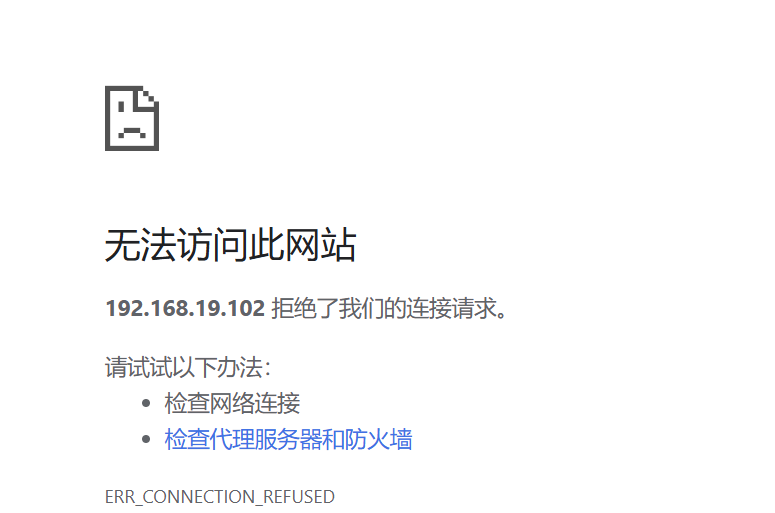 查看防火墙状态,关闭防火墙,禁止自启动服务
systemctl status filewalld
systemctl stop firewalleld
systemctl disbaleable firewalled
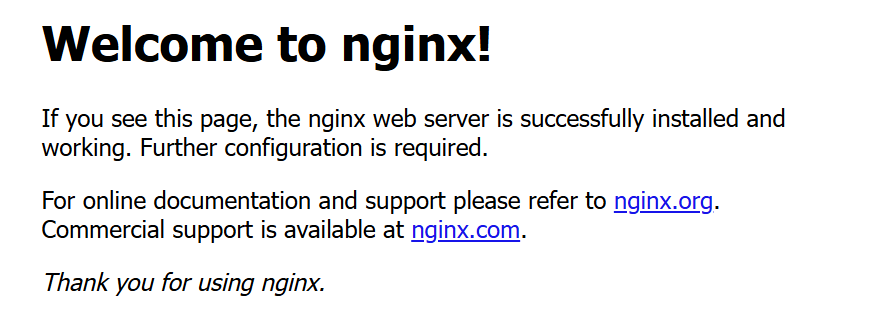
浏览器再次打开网页192.168.19.102:80,显示正常
查看防火墙状态,关闭防火墙,禁止自启动服务
systemctl status filewalld
systemctl stop firewalleld
systemctl disbaleable firewalled
浏览器再次打开网页192.168.19.102:80,显示正常
 创建nginx随系统启动服务
vim /etc/systemd/system/nginx.service
插入以下内容
[Unit]
Description=The NGINX HTTP and reverse proxy server
After=syslog.target network.target remote-fs.target nss-lookup.target
[Service]
User=nginx
Group=nginx
Type=forking
PIDFile=/usr/local/nginx/logs/nginx.pid
ExecStartPre=/usr/local/nginx/sbin/nginx -t -c /usr/local/nginx/conf/nginx.conf
ExecStart=/usr/local/nginx/sbin/nginx -c /usr/local/nginx/conf/nginx.conf
ExecReload=/usr/local/nginx/sbin/nginx -s reload
ExecStop=/usr/local/nginx/sbin/nginx -s stop
ExecQuit=/usr/local/nginx/sbin/nginx -s quit
PrivateTmp=true
[Install]
WantedBy=multi-user.target
保存文件并退出。
重载systemctl服务
systecmmctl deameemon-reload
开机启动
systemctl enable nginx.service
使用systemd重启nginx服务
systemctl restart nginx
查看nginx服务
创建nginx随系统启动服务
vim /etc/systemd/system/nginx.service
插入以下内容
[Unit]
Description=The NGINX HTTP and reverse proxy server
After=syslog.target network.target remote-fs.target nss-lookup.target
[Service]
User=nginx
Group=nginx
Type=forking
PIDFile=/usr/local/nginx/logs/nginx.pid
ExecStartPre=/usr/local/nginx/sbin/nginx -t -c /usr/local/nginx/conf/nginx.conf
ExecStart=/usr/local/nginx/sbin/nginx -c /usr/local/nginx/conf/nginx.conf
ExecReload=/usr/local/nginx/sbin/nginx -s reload
ExecStop=/usr/local/nginx/sbin/nginx -s stop
ExecQuit=/usr/local/nginx/sbin/nginx -s quit
PrivateTmp=true
[Install]
WantedBy=multi-user.target
保存文件并退出。
重载systemctl服务
systecmmctl deameemon-reload
开机启动
systemctl enable nginx.service
使用systemd重启nginx服务
systemctl restart nginx
查看nginx服务
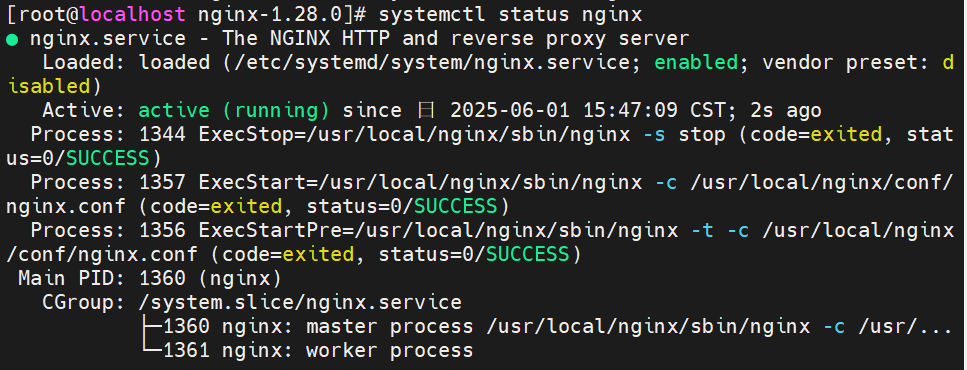 检查nginx配置文件是否正常,successful
nginx -t
检查nginx配置文件是否正常,successful
nginx -t
 修改配置文件nginx.conf
vim /usr/local/nginx/conf/nginx.conf
开启pid、work_process、logs
修改配置文件nginx.conf
vim /usr/local/nginx/conf/nginx.conf
开启pid、work_process、logs
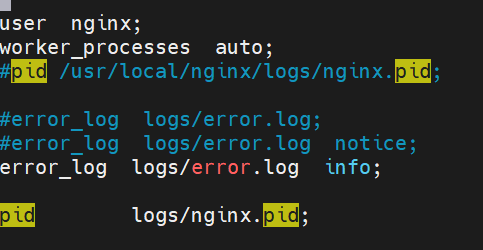 默认监听端口号修改为8088
 nginx配置请根据具体实际应用进行修改。
重新加载配置
./nginx -s reload
重新启动服务
systemctl reload nginx
systemctl restart nginx
nginx配置请根据具体实际应用进行修改。
重新加载配置
./nginx -s reload
重新启动服务
systemctl reload nginx
systemctl restart nginx
相关文章
-

canvas-友人a的笔记丶
canvas-友人a的笔记丶
- 互联网
- 2026年06月19日
-
Canvas学习笔记,记录使用过程中遇到的一些问题
Canvas学习笔记,记录使用过程中遇到的一些问题
- 互联网
- 2026年06月19日
-
CAD手机看图:支持多格式图纸解析的手机看图工具
CAD手机看图:支持多格式图纸解析的手机看图工具
- 互联网
- 2026年06月19日
-
Centos7.3端口telnet不通排查:从ipv6到防火墙的解决之旅
Centos7.3端口telnet不通排查:从ipv6到防火墙的解决之旅
- 互联网
- 2026年06月19日
-
Centos安装 ffmpeg,并添加 libx264库
Centos安装 ffmpeg,并添加 libx264库
- 互联网
- 2026年06月19日
-
Chat to MySQL 最佳实践:MCP Server 服务调用
Chat to MySQL 最佳实践:MCP Server 服务调用
- 互联网
- 2026年06月19日