win10预览版无法打开office的解决步骤
- 作者: 五速梦信息网
- 时间: 2026年06月18日 04:15
微软很早之前就已经发布了windows10预览版,但使用过程中,会遇到应用无法打开的问题。可能很多用户卸载重装来解决问题,但是,这个方法对于最新的触摸版Office不太管用。
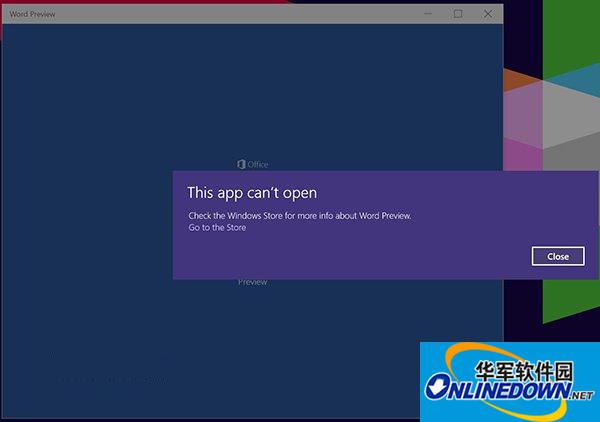
windows10预览版
解决方法:
1、打开记事本,输入以下代码:
echo off
net stop clipsvc
if "%1"=="" (
echo ==== BACKING UP LOCAL LICENSES
move %windir%serviceprofileslocalserviceappdatalocalmicrosoftclipsvctokens.dat %windir%serviceprofileslocalserviceappdatalocalmicrosoftclipsvctokens.bak
)
if "%1"=="recover" (
echo ==== RECOVERING LICENSES FROM BACKUP
copy %windir%serviceprofileslocalserviceappdatalocalmicrosoftclipsvctokens.bak %windir%serviceprofileslocalserviceappdatalocalmicrosoftclipsvctokens.dat
)
net start clipsvc
2、另存为license.bat(位置任意),格式选择“所有文件”。
3、使用管理员模式运行这个文件。
4、卸载相应Office组件。
5、去Win10新的Beta商店重新下载安装该Office应用。
相关文章
-

Win10系统下网页版OneDrive无法连接的解决方法
Win10系统下网页版OneDrive无法连接的解决方法
- 互联网
- 2026年06月18日
-
Win10输入法经典切换 0.9.8.1212
Win10输入法经典切换 0.9.8.1212
- 互联网
- 2026年06月18日
-
win10如何更改office账户名称
win10如何更改office账户名称
- 互联网
- 2026年06月18日
-
Win10中文版升级专业版怎么安装?
Win10中文版升级专业版怎么安装?
- 互联网
- 2026年06月18日
-

win10自带硬盘检测工具怎么用
win10自带硬盘检测工具怎么用
- 互联网
- 2026年06月18日
-
Win11 23H2 64位 免费办公版怎么安装
Win11 23H2 64位 免费办公版怎么安装
- 互联网
- 2026年06月18日