Android 设置EditText光标位置
- 作者: 五速梦信息网
- 时间: 2026年05月04日 13:53
  private void setText(CharSequence text, BufferType type,

                          boolean notifyBefore, int oldlen) {

 ……

         if (text instanceof Spannable) {

             Spannable sp = (Spannable) text;
……

             if (mMovement != null) {

                 mMovement.initialize(this, (Spannable) text);

         //文本是不是Editable的。

         if(this instanceof Editable)

                      //设定光标位置

                      Selection.setSelection((Spannable)text, text.length());
……

     }
从红色代码中可以看出,google是要光标处在缺省文本的末端,但是,log发现 (this instanceof Editable)非真,也就是说Selection.setSelection((Spannable)text, text.length());并不会被执行。
   Log.d("TextView", "(type == BufferType.EDITABLE)="+(type == BufferType.EDITABLE));

     if(type == BufferType.EDITABLE){

          Log.d("TextView","Format text.Set cursor to the end ");

          Selection.setSelection((Spannable)text, text.length());

    }
这个样修改后即可。
在编写应用的时候,如果我们要将光标定位到某个位置,可以采用下面的方法:
 CharSequence text = editText.getText();

 //Debug.asserts(text instanceof Spannable);

 if (text instanceof Spannable) {

     Spannable spanText = (Spannable)text;

     Selection.setSelection(spanText, text.length());

 }
其中红色标记的代码为你想要设置的位置,此处是设置到文本末尾。
相关文章
-
android 设置字体颜色、EditText自己主动输入转换成大写字母的多种方式
android 设置字体颜色、EditText自己主动输入转换成大写字母的多种方式
- 互联网
- 2026年05月04日
-
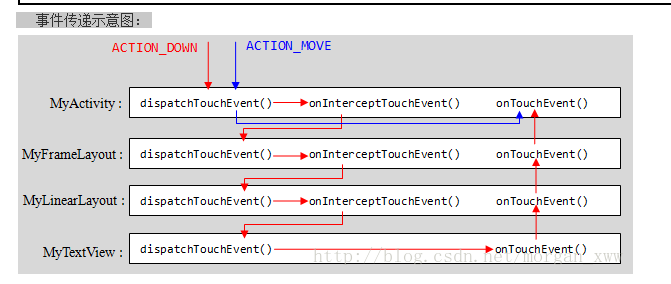
android 事件分发机制详解(OnTouchListener,OnClick)
android 事件分发机制详解(OnTouchListener,OnClick)
- 互联网
- 2026年05月04日
-
Android 属性动画 源码解析 深入了解其内部实现
Android 属性动画 源码解析 深入了解其内部实现
- 互联网
- 2026年05月04日
-
Android 签名(8)签名前用Zipalign简单优化
Android 签名(8)签名前用Zipalign简单优化
- 互联网
- 2026年05月04日
-
Android 开机动画源码分析
Android 开机动画源码分析
- 互联网
- 2026年05月04日
-
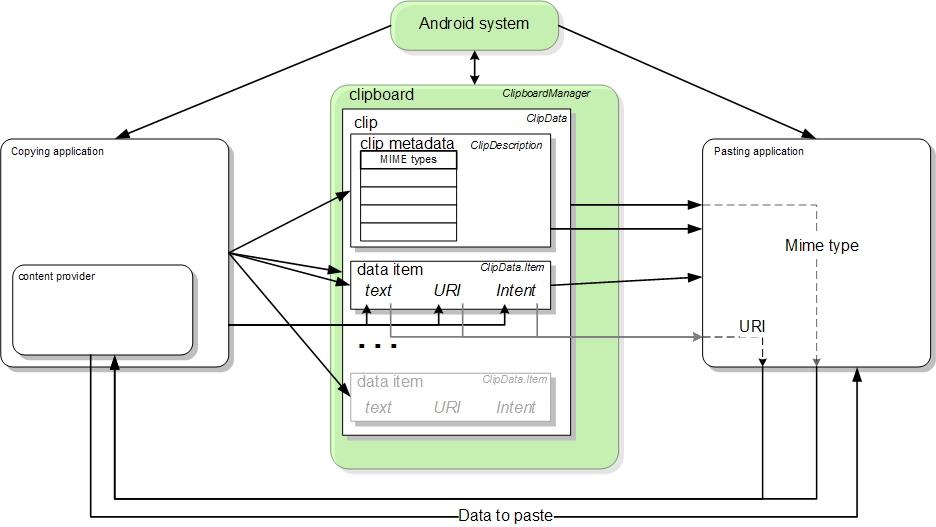
Android 剪贴板详解
Android 剪贴板详解
- 互联网
- 2026年05月04日