ASP.NET Core 使用 Redis 实现分布式缓存:Docker
- 作者: 五速梦信息网
- 时间: 2026年05月04日 13:52
ASP.NET Core 使用 Redis 实现分布式缓存:Docker、IDistributedCache、StackExchangeRedis
前提:一台 Linux 服务器、已安装 Docker。
一,Docker 中运行 Redis
拉取 Redis 镜像
docker pull redis
查询镜像列表
docker imgaes
运行 Redis的几种方法
①运行并且设置 Redis 端口
docker run -p 6379:6379 -d redis:latest redis-server
②
docker run -p 6379:6379 -d {镜像id} redis-server
③持久化
将 Docker 里的 Redis 数据持久化到物理机
docker run -p 6379:6379 -v {物理机路径}:/data -d redis:latest redis-server –appendonly yes
下载 Windows 版的 Redis 管理器
Windows 版本的 Redis Desktop Manager 64位 2019.1(中文版) 下载地址 https://www.7down.com/soft/233274.html
官方正版最新版本下载地址 https://redisdesktop.com/download
另附 Redis 学习教程:
.NET 使用 Redis 学习 地址(貌似这个教程版本过时了) https://www.cnblogs.com/cang12138/p/8884362.html
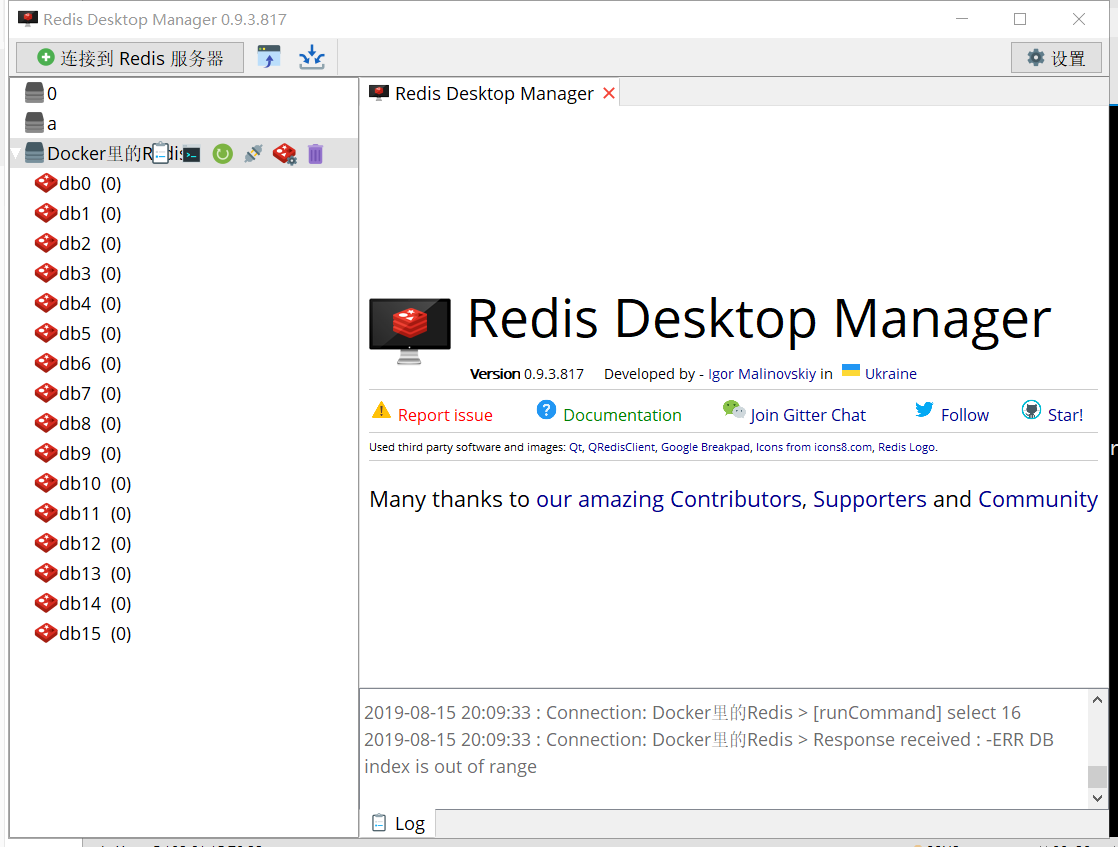
使用 Redis Desktop Manager 连接 Redis
二,ASP.NET Core 使用分布式缓存
ASP.NET Core 中,支持使用多种数据库进行缓存,ASP.NET Core 提供了统一的接口给开发者使用。
IDistributedCache
ASP.NET Core 中,使用 IDistributedCache 为开发者提供统一的缓存使用接口,而不必关注使用的是何种数据库。
IDistributedCache]接口提供了以下方法操作的分布式的缓存实现中的项:
byte[]byte[]IDistributedCache 提供的常用方法如下:
| 方法 | 说明 |
|---|---|
| 获取Key(键)的值 | |
| 异步获取键的值 | |
| 刷新缓存 | |
| Refreshes a value in the cache based on its key, resetting its sliding expiration timeout (if any). | |
| 移除某个值 | |
| Removes the value with the given key. | |
| Sets a value with the given key. | |
| Sets the value with the given key. |
ASP.NET Core 中配置缓存
新建一个 ASP.NET Core WebApi 项目
Nuget 管理器安装
Microsoft.Extensions.Caching.StackExchangeRedis
ConfigureServices 中使用服务
services.AddDistributedMemoryCache();
配置 Redis 服务器
services.AddStackExchangeRedisCache(options =>
{<br/>
options.Configuration = "localhost:6379";<br/>
options.InstanceName = "mvc";<br/>
});<br/>
InstanceName 是你自定义的实例名称,创建缓存时会以此名称开头。
这样就配置好了。
使用缓存
修改默认生成的 ValuesController.cs。
注入缓存服务
        private readonly IDistributedCache _cache;


    public ValuesController(IDistributedCache cache)<br/>
    {<br/>
        _cache = cache;<br/>
    }<br/>
设置缓存和使用缓存:
await _cache.GetAsync(“{键名}”);

_cache.SetAsync(“键名”, {值}, {设置});
删除原来的方法,添加以下代码:
[HttpGet(“Set”)]
public async Task<JsonResult> SetCache(string setkey, string setvalue)<br/>
{
string key = “key1”;
if (!string.IsNullOrEmpty(setkey))<br/>
key = setkey;<br/>
string value = DateTime.Now.ToLongTimeString();<br/>
if (!string.IsNullOrEmpty(setvalue))<br/>
value = setvalue;<br/>
await _cache.SetStringAsync(key, value);<br/>
return new JsonResult(new { Code = 200, Message = "设置缓存成功", Data = "key=" + key + " value=" + value });<br/>
}
[HttpGet(“Get”)]
public async Task<JsonResult> GetCache(string setkey)<br/>
{<br/>
string key = "key1";<br/>
if (!string.IsNullOrEmpty(setkey))<br/>
key = setkey;<br/>
var value = await _cache.GetStringAsync(key);<br/>
return new JsonResult(new { Code = 200, Message = "设置缓存成功", Data = "key=" + key + " value=" + value });<br/>
}<br/>
在 URL 添加 QueryString 可以设置缓存内容,如果没有带参数的话,就使用默认的值。
打开 https://localhost:5001/api/values/set 可以看到设置了默认值。
自定义设置缓存值。
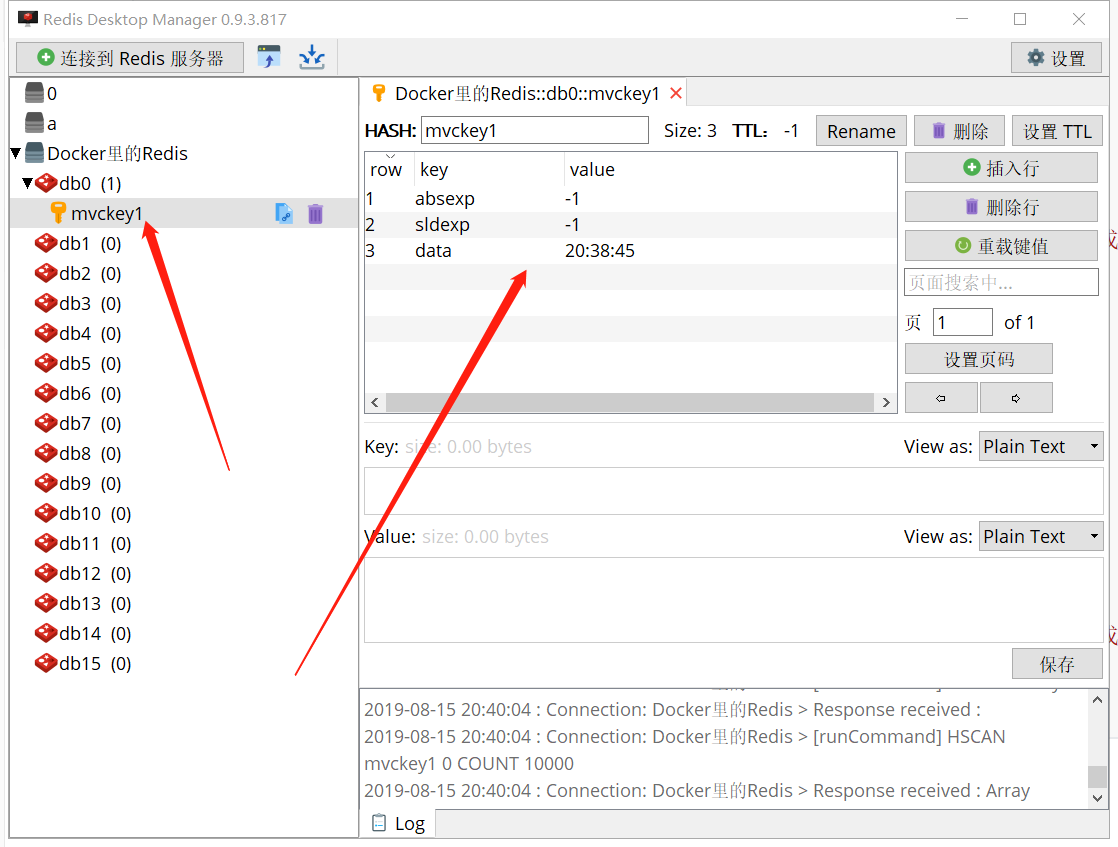
可以获取缓存值。
设置缓存过期时间
使用 DistributedCacheEntryOptions 可以设置缓存过期时间
DistributedCacheEntryOptions 有三个属性,表示相对时间、绝对时间。
使用方法
[HttpGet(“Set”)]
public async Task<JsonResult> SetCache(string setkey, string setvalue)<br/>
{
string key = “key1”;
if (!string.IsNullOrEmpty(setkey))<br/>
key = setkey;<br/>
string value = DateTime.Now.ToLongTimeString();<br/>
if (!string.IsNullOrEmpty(setvalue))<br/>
value = setvalue;
var options = new DistributedCacheEntryOptions()
.SetSlidingExpiration(TimeSpan.FromSeconds(20));
await _cache.SetStringAsync(key, value, options);
return new JsonResult(new { Code = 200, Message = "设置缓存成功", Data = "key=" + key + " value=" + value });<br/>
}<br/>
缓存 20 秒,20秒过后此缓存将被清除。
相关文章
-
ASP.Net Core 使用Redis实现分布式缓存
ASP.Net Core 使用Redis实现分布式缓存
- 互联网
- 2026年05月04日
-
ASP.NET Core 微信支付(三)【查询订单 APIV3】
ASP.NET Core 微信支付(三)【查询订单 APIV3】
- 互联网
- 2026年05月04日
-

ASP.NET Core 之 Identity 入门(一)
ASP.NET Core 之 Identity 入门(一)
- 互联网
- 2026年05月04日
-

asp.net core 实战之 redis 负载均衡和“高可用“实现
asp.net core 实战之 redis 负载均衡和“高可用“实现
- 互联网
- 2026年05月04日
-
Asp.net Boilerplate之AbpSession扩展
Asp.net Boilerplate之AbpSession扩展
- 互联网
- 2026年05月04日
-
ASP.NET Aries 入门开发教程3:开发一个列表页面及操控查询区
ASP.NET Aries 入门开发教程3:开发一个列表页面及操控查询区
- 互联网
- 2026年05月04日